
On this page
TLDR
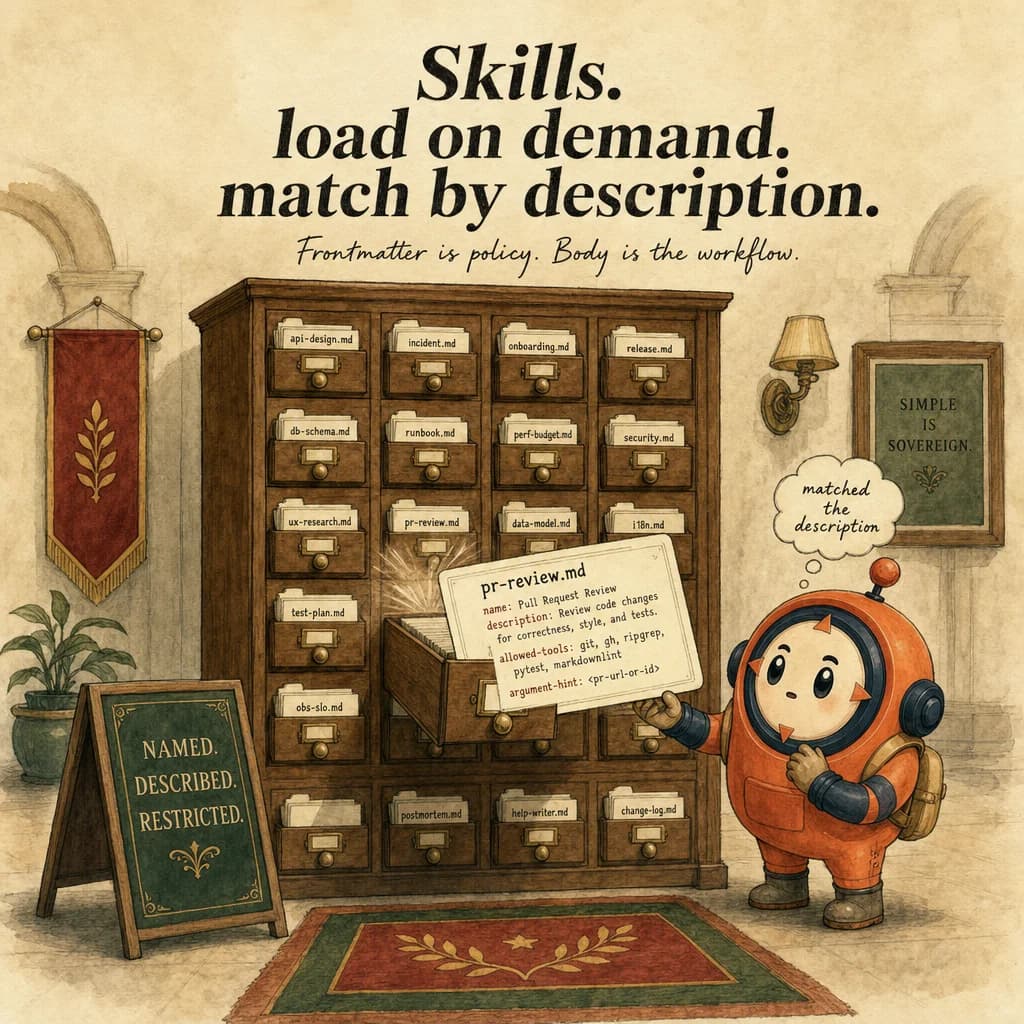
Skills are reusable, on-demand task workflows defined in markdown with YAML frontmatter. Unlike CLAUDE.md (always loaded), skills load only when Claude matches the description to the current task. Skills can restrict tool access and accept arguments.
What it is
A skill is a self-contained folder of instructions that Claude Code discovers and activates automatically when it recognizes the task. Instead of repeating "review this PR for security" or "format commits this way" across sessions, you write a SKILL.md file once, with a name, description, and instructions in YAML frontmatter, and Claude applies it on demand. The mental model: a skill is a task-specific, portable teaching file that lives in ~/.claude/skills/ (personal) or .claude/skills/ (project, version-controlled, shared).
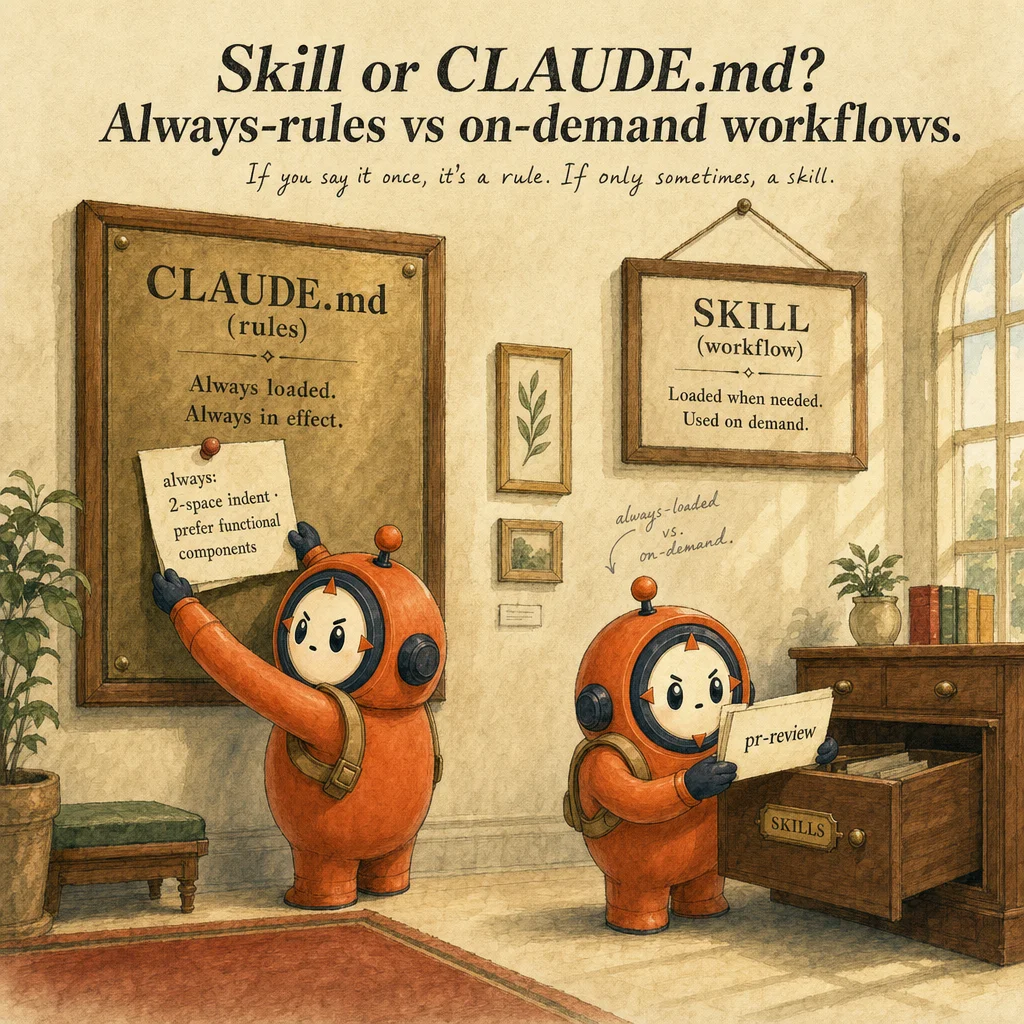
What makes a skill skill-like (not just a CLAUDE.md or a slash command) is automatic matching and progressive disclosure. CLAUDE.md always loads, burning tokens on rules you don't need. Slash commands require explicit invocation every time. Skills are different: Claude reads each skill's description, compares it against your request, and activates only the relevant ones. No token overhead when idle; no manual triggering. The description is the selector.
Skills support progressive disclosure through multi-file organization. Keep the core SKILL.md under 500 lines, then link to supporting files (references/, scripts/, assets/) that Claude reads only when needed. Scripts execute without loading their contents into context, only the output consumes tokens. A skill can restrict tool access via allowed-tools, perfect for read-only exploration or security-sensitive work where you don't want Claude to accidentally modify files.
The skill frontmatter pattern is minimalist by design. Two required fields: name (lowercase, hyphens, max 64 chars) and description (max 1,024 chars; this is where matching magic lives). Two optional: allowed-tools and model. Below the frontmatter, you write instructions in plain Markdown. Adoption reflex: "I'm repeating this to Claude across sessions" → a skill is waiting to be written.
How it works
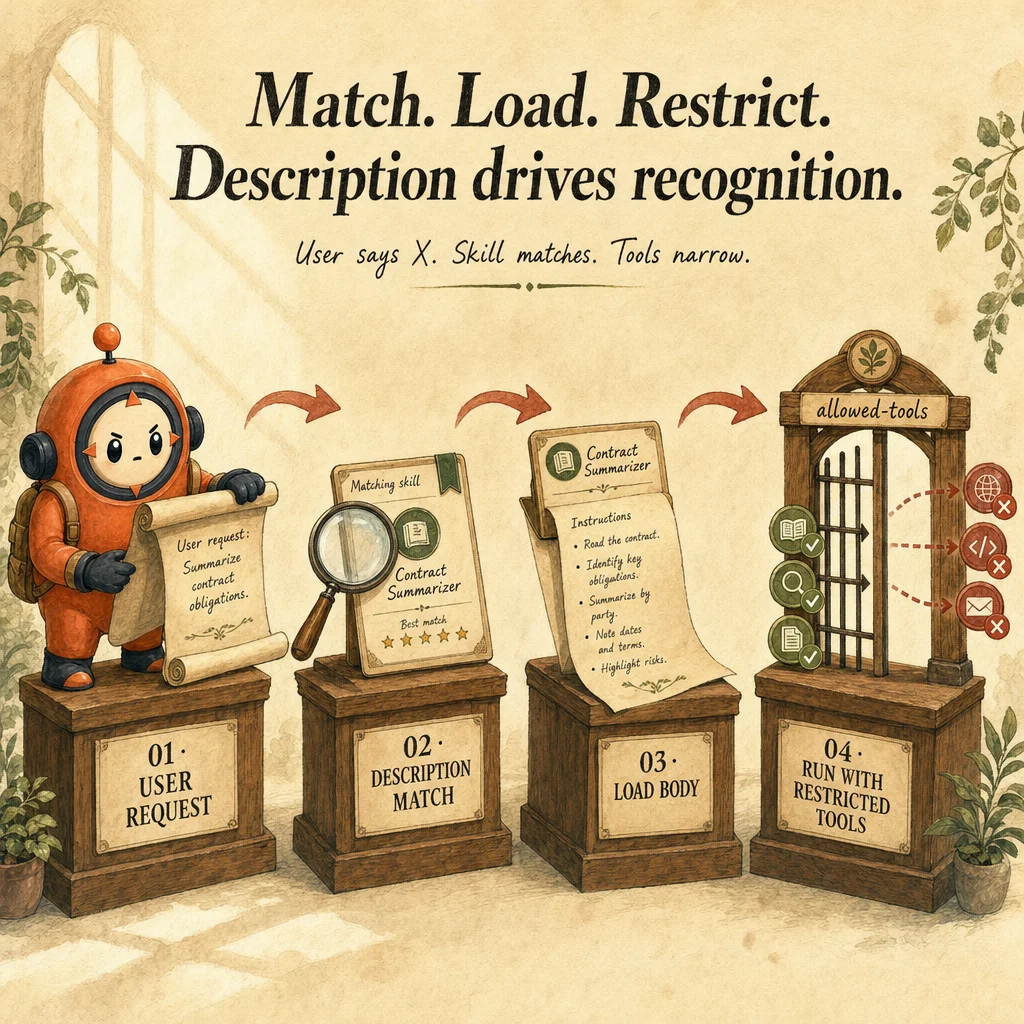
The discovery flow has four stages. Matching: Claude reads your request and compares it semantically against the descriptions of all available skills (personal and project). If your request mentions "review PR" and a skill says "reviews pull requests for code quality," it's a match. Loading: Claude loads only the matched skill's SKILL.md into context, not all skills. Execution: you interact with the skill (Claude references its instructions). Unloading: when the task finishes, the skill context is discarded.
Skill matching is semantic and probabilistic. Claude uses natural language understanding, not string matching. If your request is "please check this code change" and a skill describes itself as "ensures code quality in pull requests," Claude can match them even though exact words differ. This is why descriptions matter so much: vague descriptions like "helps with code" don't match reliably; explicit ones like "validates Python security patterns" consistently trigger.
Tool access is restricted at activation time, not at request time. When you set allowed-tools: Read, Grep, Glob, Bash in the frontmatter, Claude can only use those tools while the skill is active. It cannot call Edit or Write, even if you ask. Perfect for a "codebase-onboarding" skill where new developers should explore but not modify. If you omit allowed-tools, the skill inherits your normal permission model.
Progressive disclosure saves context budget. A big skill with a 3,000-line reference document burns 2,000 tokens just sitting in context. Instead, keep SKILL.md lean, then structure: skill-dir/references/guide.md, skill-dir/scripts/validate.sh. In SKILL.md, write: "if the user asks about X, run scripts/validate.sh and read references/guide.md." Claude loads only what's needed. Scripts execute in the background; their output (not their source) gets injected.
Where you'll see it
Domain-specific research workflow
Healthcare team has /healthcare-research skill that searches PubMed + extracts claims with sources + tags evidence tier (RCT vs observational). Description matches 'research medical' or 'clinical evidence' queries. Tools restricted to Read/WebSearch/WebFetch, no Edit, no Bash. Output is JSON.
Headless CI code review
/ci-review skill runs in claude -p headless mode from GitHub Actions. Input is a PR diff; output is structured JSON of findings. context: fork keeps the verbose review out of the main session. Same skill works locally and in CI without changes.
Show 1 more examples
Vault search with depth control
/search-vault skill takes a query + depth argument. At depth=1 it returns frontmatter snippets; at depth=3 it returns full sections. Skill matches 'find in vault' / 'search notes' descriptions. Reduces context bloat by serving the right depth instead of dumping full files.
Code examples
---
name: healthcare-research
description: |
  Use when the user asks for medical literature, clinical evidence,
  drug efficacy data, or similar healthcare-research queries.
  Returns structured JSON: {claims: [{claim, sources: [...], tier}]}.
context: fork
allowed-tools: [Read, WebSearch, WebFetch]
argument-hint: "Search query (e.g., 'CDK4/6 inhibitors HR+ breast cancer')"
---

# Healthcare Research Workflow

## Steps
1. Parse query into structured terms (disease, intervention, outcome)
2. Search PubMed and clinicaltrials.gov in parallel
3. For each result: extract claim, title, URL, date, journal
4. Label evidence tier:
   - 🟢 RCT or meta-analysis
   - 🟡 Observational study
   - 🟠 Case report
   - 🔴 Speculation / commentary
5. Deduplicate by URL; sort newest first
6. Return JSON only, no narrative text

## Output schema
{
  "query": "<original query>",
  "claims": [
    {
      "claim": "<one-sentence finding>",
      "sources": [{"title": "...", "url": "...", "date": "YYYY-MM-DD", "tier": "🟢"}]
    }
  ]
}

## Don't
- Scrape paywalled content
- Mix marketing claims with clinical claims
- Omit dates or URLs
Looks right, isn't
Each row pairs a plausible-looking pattern with the failure it actually creates. These are the shapes exam distractors are built from.
Drop a markdown file in .claude/skills/ and Claude will pick it up.
Skills require YAML frontmatter (name, description, optional allowed-tools / context / argument-hint).
Without it, the file is plain markdown and won't auto-match queries.
Build one large mega-skill that covers all team workflows.
Skills should be granular, one workflow per skill.
Mega-skills break context isolation and make tool restrictions too broad. Aim for skills under ~300 lines.
Use a Skill instead of CLAUDE.md so it doesn't load on every session.
Skills and CLAUDE.md serve different purposes.
CLAUDE.md = always-on team standards. Skills = on-demand workflows triggered by description match. Use both, not one.
Skills and subagents are interchangeable, both "do a task in isolation."
Skills are stateless prompt packages loaded into the current conversation; subagents have their own isolated context window with their own message history.
A skill cannot summarize 50 files into a single block, the work happens inline. A subagent can, the verbose work is discarded and only the summary returns. Pick subagents for context isolation, skills for reusable instructions.
A skill's description field is just a comment, the file name is what matters.
The description IS the matching key.
Claude reads every skill's description and ranks them against the user's request semantically. A vague description like "helps with code" never reliably triggers; an explicit one like "reviews Python pull requests for security patterns" matches consistently. The file name is for humans only; the description is for the router.
Side-by-side
| Aspect | Skill | CLAUDE.md | Slash command (legacy) |
|---|---|---|---|
| Loading | On-demand (description match) | Every session | On explicit invocation |
| Tool restriction | Yes (allowed-tools) | No | No |
| Output isolation | Yes (context: fork) | No (in-session) | No |
| Best for | Reusable workflows | Always-on standards | Quick aliases (deprecating) |
| Discovery | Semantic match against description | Path-based (project root) | Manual /name typing |
| Model override | Yes (model: in frontmatter) | No (uses session model) | No |
Decision tree
Is this a reusable workflow you'll invoke many times?
Should the workflow run with restricted tools (e.g., read-only)?
Should the verbose work stay out of the main conversation?
Does the workflow need its own isolated context window with separate message history?
Will the skill's instructions exceed ~500 lines?
SKILL.md lean, move long content into references/ and reference scripts via scripts/. Claude loads the linked files only when the skill needs them.Question patterns
6 V2 questions wired to this concept. Tap an answer to check it instantly - you'll see whether it's right and why - then expand the full breakdown for the mental model and all four rationales.
A teammate's PRs use a different code style than yours. They have rules in ~/.claude/CLAUDE.md but not in the repo. What is the architectural fix?
Frequently asked
Showing 10 of 10 questions
/review-pr); skills auto-match based on description. Skills also support allowed-tools, context: fork, and model overrides; slash commands don't. Anthropic is consolidating around skills; new work should use skills, slash commands stay for legacy.call_skill("x")) is not a primitive, the routing happens via natural language matching, not a function call..claude/skills/ (committed to git, shared with team); user skills in ~/.claude/skills/ (personal, global). Both are discoverable in any session within their scope. Project takes precedence on name conflicts.allowed-tools: [Read, Grep] and you ask to edit, Claude responds that it can't, the tool is unavailable for the duration of the skill. Strong sandboxing for read-only or audit workflows..claude/skills/ and travel with commits. For breaking changes, introduce a new skill name (e.g. pr-review-v2) rather than mutating the description, since users may have learned to invoke by phrasing.model: claude-opus-4-5 in the frontmatter. The skill executes against the named model regardless of the session's default. Useful for sending heavyweight workflows to Opus while keeping the rest of the session on Sonnet/Haiku for cost.allowed-tools). A subagent is a separate agent with its own system prompt, tools, and model. Forks are for verbose work that pollutes the main thread; subagents are for delegated specialization.~/.claude/skills/ or .claude/skills/), (2) it has valid YAML frontmatter (no parse errors, name and description present), (3) the description explicitly mentions phrasings the user is likely to type. Vague descriptions silently fail to match, treat the description as the prompt that triggers the skill.