
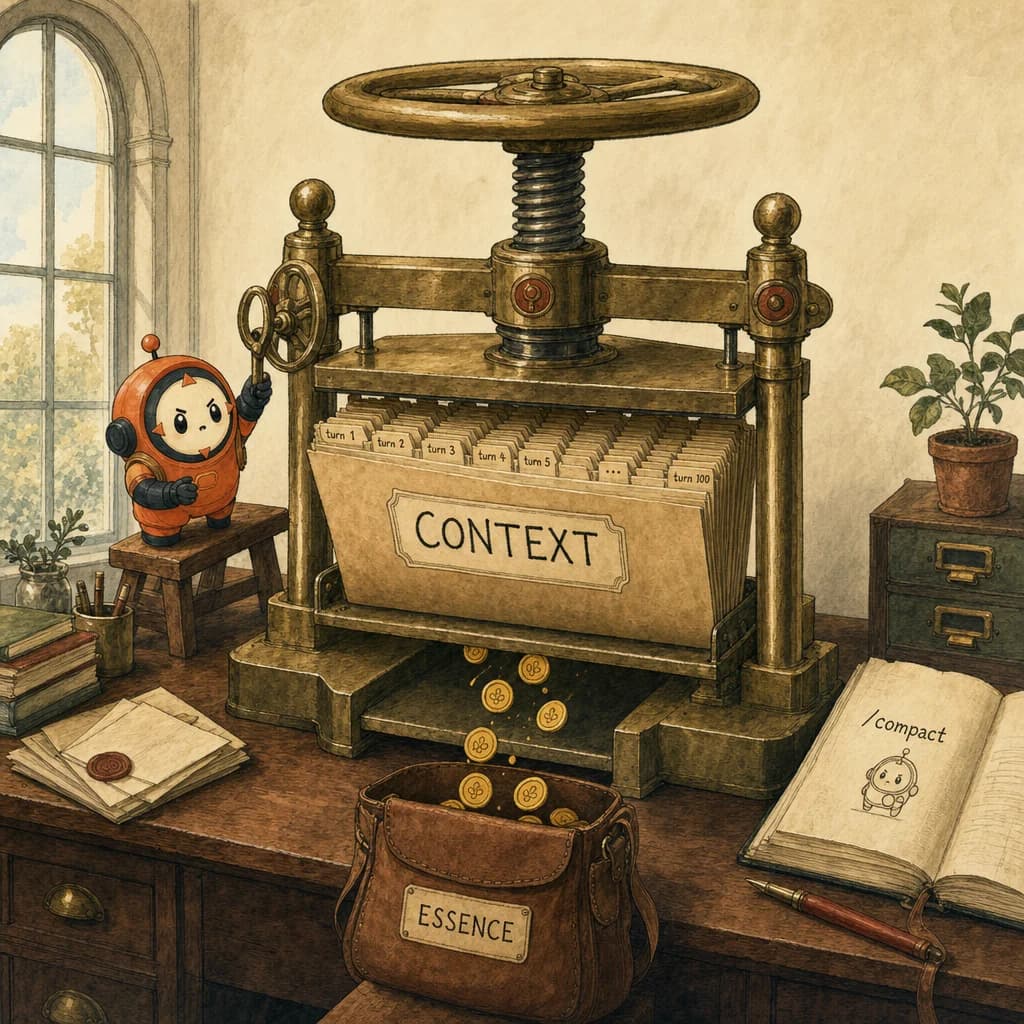
- ✓/compact is a Claude Code slash command that summarizes conversation history and replaces the raw turns in working context
- ✓Hit it at ~60% context fill, not at the 'oh no' stage - cuts input tokens 35-50% (MindStudio benchmark)
- ✓StartupHub measured 15-20% lower latency on Opus 4.7 after a manual compact
- ✓Pair /compact with a pinned case-facts block so load-bearing facts survive the compression
What just happened
Most people think long Claude chats get expensive because the model is "thinking harder." Not exactly. A lot of the cost is just carrying conversational luggage turn-to-turn - stale tool output, dead-end attempts, repeated instructions, and repeated case-facts that should have been summarized 20 turns ago.
Two recent benchmarks (MindStudio May 1, StartupHub May 2) put numbers on a habit that pass-takers already use intuitively: hit /compact before you need to. The savings compound across a session - and they map directly to the CCA-F D5 domain on context management and reliability.
This is one of those releases where the news isn't the feature (Claude Code has had /compact for months); it's the timing data. Compact at 60% beats compact at 95% by a wide margin.
Why this matters now
Long Claude sessions hit a quiet wall around 60% context fill that wasn't measurable until this benchmark dropped. Before MindStudio's May 1 numbers, the standard advice was "wait for auto-compaction" - which kicks in around 95%. That advice was wrong by a factor of two on cost. The shift in best practice from reactive auto-compaction to proactive manual compaction is one of those small operational changes that compounds: 35-50% fewer input tokens across a 4-hour coding session is real money for any team running Opus 4.7 at scale.
The counter-argument is that /compact is lossy. Every compaction discards information - even a well-hinted compact loses some texture from earlier turns. Some developers (notably the Anthropic Cookbook authors) argue for a different pattern: branching new chats with the current state as a system prompt, never compacting in-place. Both approaches work; the choice depends on whether you trust the summary to preserve case-facts. Pinning a case-facts block gives the manual /compact approach the durability the branch-and-restart approach has by default.
For builders shipping today, the practical implication is context hygiene as a habit, not a fire drill. Set a mental threshold (or a real one - Claude Code now exposes context fill as a status indicator) at 60%. When you cross it, run /compact with a hint, then either continue or branch. Pair it with the prompt-caching feature on stable system-prompt prefixes for compounding savings. None of this is novel; what's new is the calibrated timing.
This material is Domain 5 (Context Management & Reliability, 15%) territory on the CCA-F. D5 is the smallest domain by weight but historically the biggest by careless wrong answers - pass-takers consistently lose 2-3 points here on questions about lost-in-the-middle, progressive-summarization traps, and the case-facts block. Knowing /compact as the operator-side fix is exam-relevant because the exam plants distractors that suggest "increase the context window" or "use a bigger model" - both wrong. The right answer is almost always "compress earlier and pin the case-facts."
The open question is what happens when server-side automatic context management becomes good enough to replace /compact. Anthropic's Memory MCP (still beta as of May 2026) is the lead candidate - it stores per-project memory across sessions and could obviate the manual-compaction habit. If Memory MCP ships GA in 2026, the D5 questions on the 2027 exam may shift from compaction discipline to memory-store discipline. For now, manual /compact at 60% is the operator-side answer the exam tests.
What /compact actually does, and when
-
Compact at ~60% context, not 95%. MindStudio's benchmark: manual
/compactat 60% cut input tokens 35-50% on coding tasks vs auto-compaction at 95%. Waiting until the 'oh no' stage means you've already paid for the bloat. -
Latency drops too. StartupHub measured 15-20% lower latency on Opus 4.7 after a manual compact. Cost goes down; the chat also gets snappier. Both wins from one keystroke. Combine with prompt caching on stable system-prompt prefixes for compounding gains.
-
Restart in a fresh chat with the summary. The non-obvious move: take the compacted summary and paste it into a brand-new conversation as the system prompt. You keep task continuity with far fewer tokens and a clean attention budget for the upcoming work.
-
Compact at phase boundaries, not during a fire. End of debug session, end of feature scaffolding, end of code review. Boundary points beat reactive ones. Treat it like git commits - small, frequent, semantic.
-
Specify what to keep. Use a hint:
/compact keep the current objective, key decisions, modified files, and unresolved blockers. Don't trust the default summary to preserve case-facts you'll need later.
3 production patterns for context hygiene
-
The 60% trigger. Set a mental (or actual) threshold at 60% context fill. When you cross it, run
/compactwith a hint and either continue in the same chat (cost win) or open a fresh chat with the summary (cost + attention win). MindStudio's benchmark suggests the latter is meaningfully better on long coding sessions. -
The pinned case-facts block. Pair
/compactwith a case-facts block at the top of your conversation - account IDs, prior decisions, the current objective. The case-facts block is the operator-side answer to the progressive-summarization trap: it gives/compacta "do not lose this" anchor. The CCA-F D5 questions probe this exact pattern. -
Compact before you switch agents. If you're routing work between Claude Code and another agent (per the Specialist Routing pattern from the Hermes post),
/compactat the handoff is the cheapest way to give the next agent a clean working context. Don't pass a 40-turn history to a fresh agent - pass the compacted summary.
Three /compact mistakes
-
Compacting reactively, at 90%+ usage. By the time you notice latency, the bloat has already been priced in for many turns. Compact early, compact often.
-
Trusting the default summary to preserve case-facts. The default summary is generic. If your task depends on specific account IDs, prior decisions, or a multi-step plan, name them in the
/compacthint. -
Not restarting in a fresh chat after compacting. Compaction inside the existing session doesn't undo the prior tokens - they were already paid for. The full win comes from compacting AND opening a fresh chat with the summary.
How this shows up on the exam
Domain 5 (Context Management & Reliability) - 15% of the exam, smallest by weight, biggest by careless wrong answers. Expect at least two questions on lost-in-the-middle, progressive-summarization traps, and the case-facts block discipline. The exam will plant distractors that suggest "increase the context window" or "use a bigger model" - both wrong. The right answer is almost always "compress earlier and pin the case-facts."
For study-next, pair this post with the Context window concept page (mechanics of attention decay), the Case-facts block concept page (the pinned-anchor pattern), the Context-window Skilljar mirror in Knowledge (full deep-dive), and the Day-of distractor patterns page in the Exam Guide. The exam-relevant principle: context decays in quality before it fills in capacity. /compact is the operator-side answer.
4 direct routes into the scored material.
- conceptsWhy context decays in quality before it fills in capacity.
- conceptsPin the load-bearing facts so /compact doesn't summarize them away.
- knowledgeThe Skilljar mirror with full mechanics on attention decay and the lost-in-the-middle effect.
- exam-guideThe progressive-summarization trap is a recurring D5 distractor.
- MindStudio - /compact at 60% benchmark (May 1, 2026)
- StartupHub - Opus 4.7 latency after compact (May 2, 2026)
Share this post.
One share is one less person stuck on the same question.