
On this page
TLDR
Tool calling is how Claude decides to invoke external functions and pass structured arguments. Tools are routing infrastructure, good descriptions reduce the need for classifiers or few-shot examples. The quality of tool design is the primary lever for correct task routing, not model size.
What it is
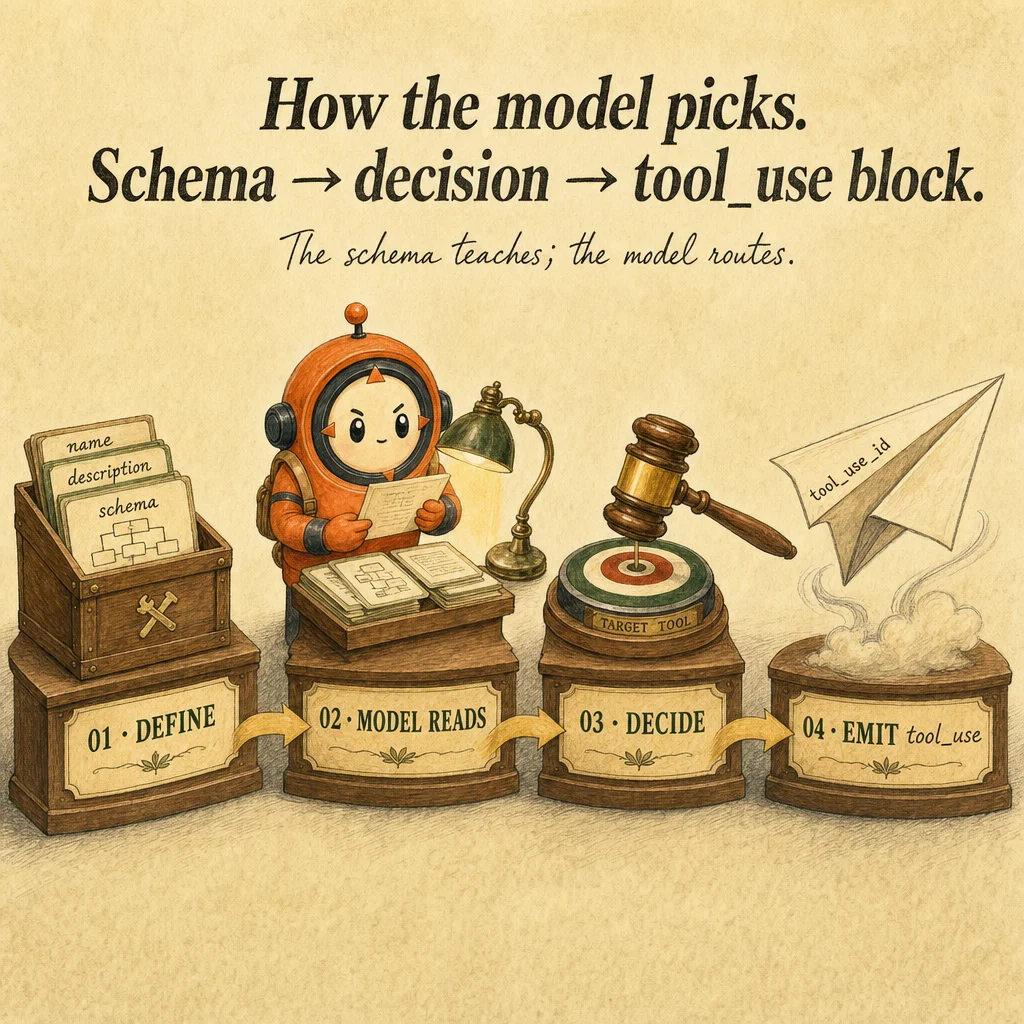
Tool calling is the mechanism that lets Claude request function execution. You define a tool schema (name, description, input_schema JSON), pass it to messages.create() with the tools parameter, and Claude decides whether to call a tool. A tool_use block lands in the response with the tool's name and input. Your harness executes the function, captures the result, and appends a tool_result block. From Claude's perspective, tool calling is probabilistic negotiation: the model reads what's available and decides if any tool fits.
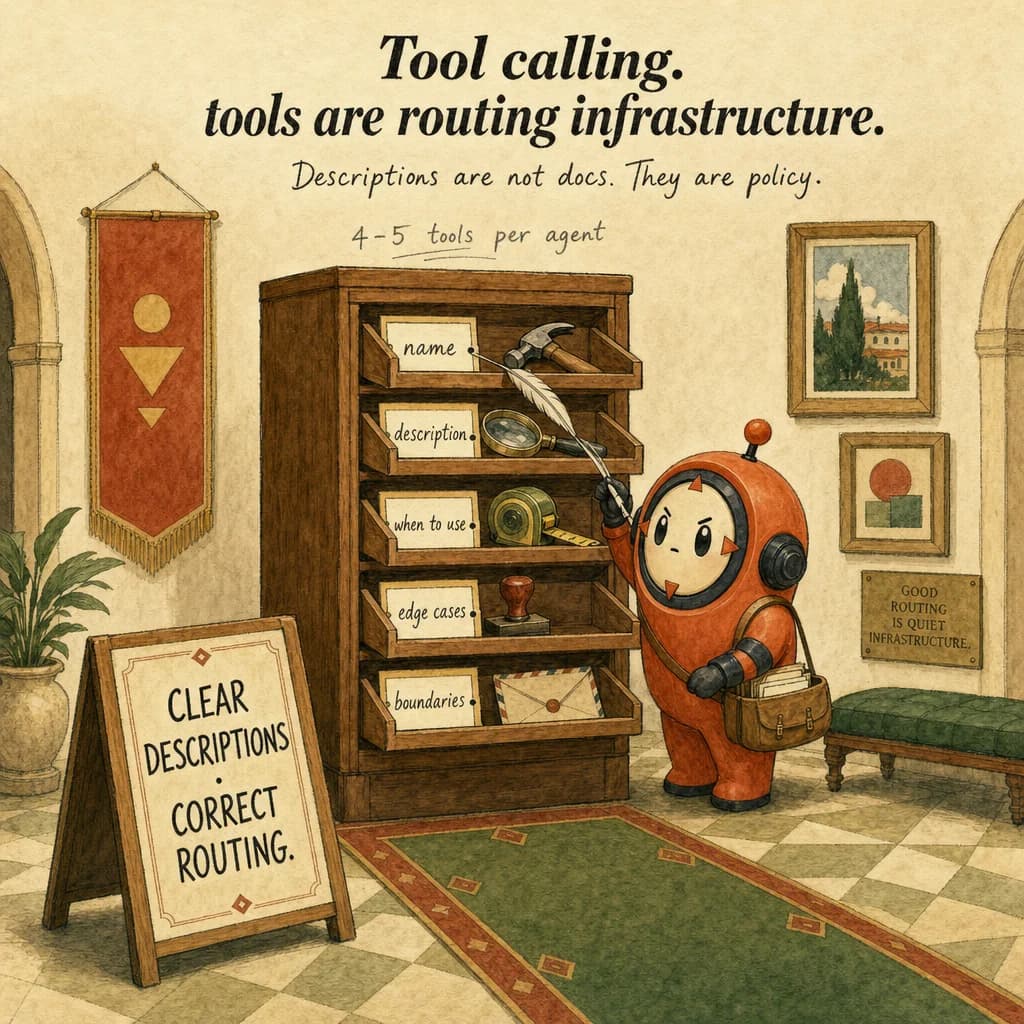
The description field is load-bearing. It's not documentation, it's a policy document Claude reads every turn to decide when and how to call the tool. Vague descriptions cause misrouting, Claude guesses which tool is right. Strong descriptions have four parts: (1) what it does (one sentence), (2) when to use (concrete trigger), (3) edge cases (what's excluded), (4) boundaries (preconditions, ordering). A 4-line description dramatically reduces misrouting; bigger models do not fix vague descriptions.
The tool registry is your side of the contract. When Claude calls verify_customer, you look up the function in a registry, execute it, and catch all exceptions. Never let exceptions escape, Claude sees only what you put in tool_result.content. If you swallow errors silently, Claude retries the same broken call. If you return a structured error like {"error": "customer_not_found", "hint": "verify cus_ prefix"}, Claude reads it, adjusts, and retries successfully.
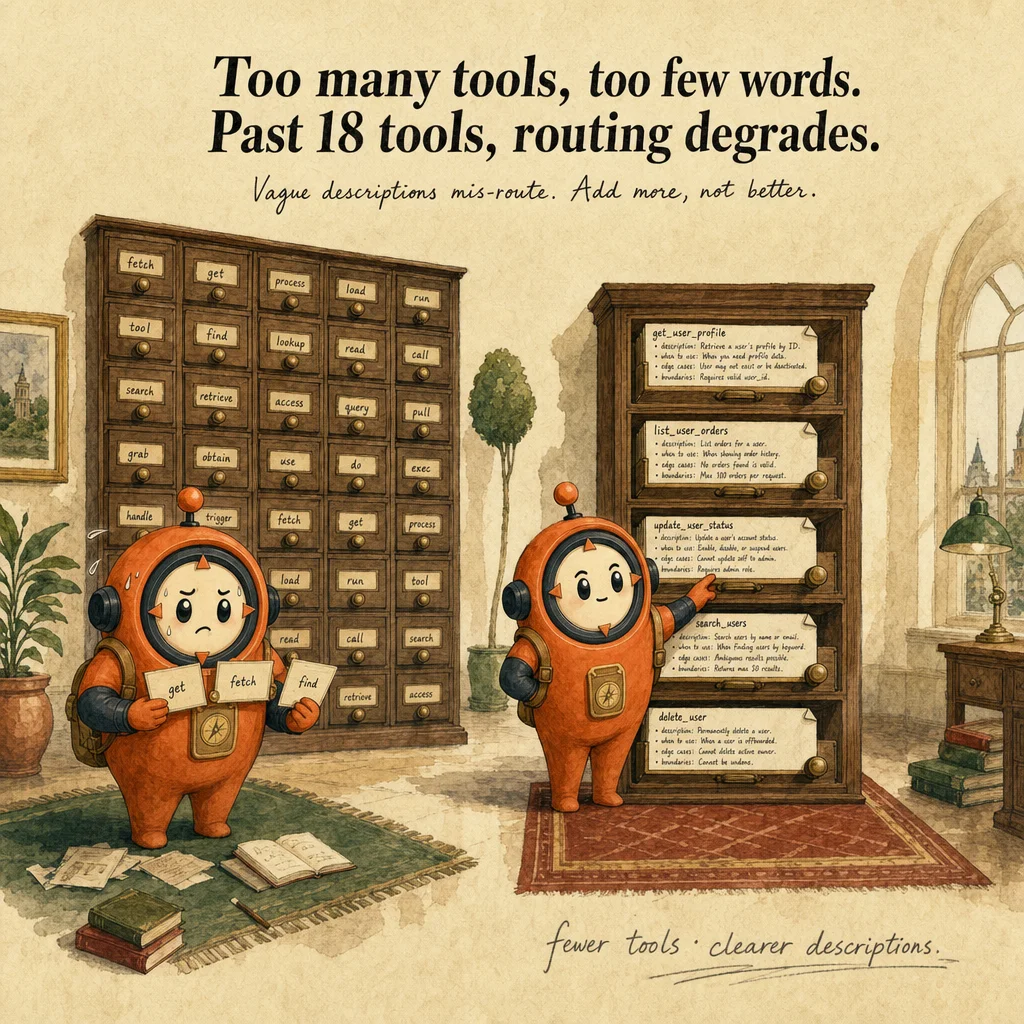
Production tool-calling fails in two predictable ways: description-shape misrouting (vague or overlapping descriptions) and tool proliferation (beyond ~18 tools, selection accuracy degrades sharply). The second is architectural: if you need 30 capabilities, split into specialized subagents. The exam drills both patterns. A common distractor: "upgrade the model to fix misrouting." The real fix is to rewrite the descriptions.
How it works
Tool definitions are structured metadata. Each tool has a name, description, and input_schema. The input_schema specifies field types, required fields, and field descriptions. Claude does not see the function body, only the schema. Precise schemas matter: they constrain Claude's input guessing. A permissive schema like {data: any} forces hallucination; a strict schema like {customer_id: string, method: enum} gives the model a deterministic target.
When Claude decides to call a tool, the response includes a tool_use block: {type: "tool_use", id: "tooluse_xyz", name: "verify_customer", input: {customer_id: "cus_123", method: "email_otp"}}. Your harness looks up the tool by name, validates the input, executes the function, and appends a tool_result block: {type: "tool_result", tool_use_id: "tooluse_xyz", content: "{...result...}"}. The id field links the result back to the tool_use so Claude knows which produced which.
The execution harness is critical. Wrap every tool call in try/except. If the tool throws, return a structured error string. Claude reads errors and adjusts, your harness's job is to surface them, not hide them. Structured errors look like {error: "out_of_stock", detail: "qty exceeds available", retry_hint: "try smaller quantity"}. Claude responds to hints; opaque errors break the loop.
Multiple tool_use blocks in a single response are independent. Claude might call verify_customer and lookup_order in the same turn. Your harness executes both, builds a tool_results array, and appends them as a single user-role message with all results. Don't append one at a time, batch them in a single {role: "user", content: [tool_result, tool_result, ...]} block. This is a frequent exam distractor.
Where you'll see it
Customer support routing
Agent has 5 tools: verify_customer, lookup_order, refund_policy, process_refund, escalate. Each tool's description spells out when-to-use and edge cases. Misrouting drops from 30% → 4% when descriptions become precise rather than vague.
Multi-source synthesis
Research agent has search_papers, search_blogs, query_database, web_fetch. Tool descriptions disambiguate (e.g., 'search_papers: peer-reviewed only; use when citation discipline matters'). Without the disambiguation, agent calls web_fetch instead of search_papers and pollutes results.
Show 1 more examples
Sequential code review passes
Three sequential tool sets: pass 1 (security_scan), pass 2 (style_check), pass 3 (perf_check). Each pass dedicates the model's full attention to one concern. A single mega-tool with 20+ params dilutes attention and misses edge cases.
Code examples
# Anatomy of a good tool description:
# 1. What it does (one verb-led sentence)
# 2. When to use (concrete trigger conditions)
# 3. Edge cases (what's excluded; what's risky)
# 4. Boundaries (preconditions; ordering with other tools)

verify_customer = {
    "name": "verify_customer",
    "description": (
        # 1. What it does
        "Verify customer identity against the auth service. "
        # 2. When to use
        "Call FIRST in any refund or account-modification workflow. "
        # 3. Edge cases
        "Returns is_verified=false for closed accounts; do not proceed. "
        # 4. Boundaries
        "Must be called before lookup_order or process_refund."
    ),
    "input_schema": {
        "type": "object",
        "properties": {
            "customer_id": {
                "type": "string",
                "description": "Stripe customer ID (cus_xxx). Not email.",
            },
            "method": {
                "type": "string",
                "enum": ["email_otp", "sms_otp", "security_question"],
            },
        },
        "required": ["customer_id", "method"],
    },
}

# Anti-pattern (vague):
verify_customer_bad = {
    "name": "verify_customer",
    "description": "Verifies a customer.",  # Too vague, model guesses
    "input_schema": {
        "type": "object",
        "properties": {
            "customer": {"type": "string"},  # email? id? phone?
        },
    },
}
Looks right, isn't
Each row pairs a plausible-looking pattern with the failure it actually creates. These are the shapes exam distractors are built from.
Misrouting is fixed by upgrading the model.
Bigger models route slightly better but cannot recover from vague descriptions.
Fix the description anatomy first (what / when / edge cases / boundaries), almost always the root cause.
Add 25 tools so the agent can handle every edge case.
Beyond ~18 tools, selection accuracy degrades sharply.
Reduce to 4-5 core tools per agent role. If you need more capabilities, split into specialized subagents.
Use a permissive schema like data: any to accept any extraction shape.
Permissive schemas force the model to guess structure, it returns null or fabricated values.
Specify exact field types so the model has a deterministic target.
Append each tool_result as its own user message so Claude processes them sequentially.
When a single response contains multiple tool_use blocks, all tool_result blocks must be packed into ONE user message.
Splitting them across messages breaks the tool_use_id ↔ tool_result pairing rule and the next API call returns a 400 error: tool_use ids without corresponding tool_result.
If a tool fails, return an empty string so Claude knows nothing happened.
Empty tool_result.content is interpreted as a silent success by the model, which then proceeds with the wrong assumption.
Always return a structured error like {"error": "...", "hint": "..."} AND set the optional is_error: true flag on the tool_result block. Both signals matter, the flag tells Claude to retry, the content tells it how.
Side-by-side
| Aspect | Tool calling | Structured outputs | MCP server |
|---|---|---|---|
| What it is | Mechanism (Claude calls funcs) | Pattern (force a tool with JSON schema) | Infrastructure (pre-built tool sets) |
| You write | Tool definitions per agent | Schema in tool definition + tool_choice forced | .mcp.json config; server is pre-built |
| Best for | Custom logic per agent | Reliable extraction | Standard integrations (GitHub, Slack) |
| Failure mode | Vague descriptions cause misrouting | Permissive schema causes fabrication | Stale server config; auth misalignment |
| Caching surface | Tool definitions are cacheable (cache_control on the tools array) | Same as tool calling, schema lives inside the cached tool | Server can also cache responses independently |
| Latency cost | +1 round-trip per tool turn | +1 round-trip per extraction | +1 round-trip + server's own latency budget |
Decision tree
Is the integration with a known service (GitHub, Slack, Postgres)?
Does the agent have more than ~18 tools?
Is misrouting happening?
Does Claude call tools in parallel within one turn?
tool_result blocks into a SINGLE user message. Splitting across messages causes 400 errors. Order inside the array does not matter, the tool_use_id does the routing.Are tool definitions stable across requests in this session?
tools array with cache_control: {type: "ephemeral"}. Cached tool definitions cut input cost ~90% for the cached prefix on every subsequent turn.Question patterns
6 V2 questions wired to this concept. Tap an answer to check it instantly - you'll see whether it's right and why - then expand the full breakdown for the mental model and all four rationales.
Your agentic loop keeps running after Claude has clearly finished its task. Which control was most likely missed?
Frequently asked
Showing 10 of 10 questions
Use this when X, NOT when Y boundary clauses; the explicit exclusion does more than any positive description.tool_use block is one call with one input object. Parallel tool use emits multiple separate tool_use blocks in the same response, each with a unique id. If you need the same tool with two different inputs, you'll get two blocks.tool_result after every tool_use (most common bug), (2) tool descriptions don't conflict, (3) stop_reason branching is correct. `max_iterations` caps mask the bug, not fix it. A healthy loop converges in 3-8 turns for most tasks.verify_customer, fetch_invoice, search_papers. The model parses tool names as actions; nouns like customer_info ambiguate (is it a getter? a setter?). Verb_object pattern is the canonical Anthropic style.type, properties, required, enum, description, items, format (some), nested objects. Not supported: $ref resolution across files, custom keywords, oneOf/anyOf with complex discriminators (works in simple cases). Keep schemas flat and explicit.type enum that gates which other fields are required. Example: {type: "refund" | "credit", amount: number, refund_reason?: string, credit_account?: string}. Document the conditional in the description; JSON Schema's structural enforcement is limited.tools array with the next request. The new description applies from that turn forward; previous turns are unaffected. This is occasionally useful for dynamic tools whose semantics change based on user permissions, but it invalidates prompt caching for the tools section.tool_result is a content block type, not a message role. It lives inside a user message: {role: "user", content: [{type: "tool_result", tool_use_id: "...", content: "..."}]}. The block is what links back to the tool_use by id. Sending raw text in a user message instead of a structured tool_result block breaks the pairing.