

TLDR
Anthropic gives developers three layers for building a Claude agent, and they are NOT interchangeable names for the same thing: the Client SDK / Messages API (you write the tool loop yourself), the Claude Agent SDK (Claude drives the loop autonomously inside your own process, pip install claude-agent-sdk / npm install @anthropic-ai/claude-agent-sdk), and Claude Managed Agents (a hosted REST API where Anthropic runs the loop and the sandbox). The common path is prototype on the Agent SDK, then migrate to Managed Agents for unattended production workloads - and hooks are an Agent SDK/Claude Code construct, not something that carries over to a Managed Agents session.
What it is
Anthropic exposes three distinct layers for building a Claude-powered agent, and this objective tests picking the right one for a given deployment, not memorizing one API. The Client SDK / Messages API is direct model access: you write the while response.stop_reason == "tool_use" loop yourself and execute every tool call in your own code. The Claude Agent SDK is "the same tools, agent loop, and context management that power Claude Code, programmable in Python and TypeScript" - Claude autonomously drives tool execution inside a process you still own and deploy. Claude Managed Agents is a beta, hosted REST API where Anthropic runs both the agent loop and the sandbox; your application only sends events and streams back results over SSE.
These layers share primitives - a model call, tool definitions, optional MCP servers - but differ in who owns the loop and where state lives. The Agent SDK's session state is JSONL on your own filesystem; Managed Agents' session state is an Anthropic-hosted event log, persisted server-side and fetchable in full. That distinction drives almost every other tradeoff on this page: what you can self-host, whether hooks apply, and whether the deployment can meet Zero Data Retention.
How it works
Client SDK vs Agent SDK is a one-line contrast the docs make explicit. With the Client SDK: response = client.messages.create(...); while response.stop_reason == "tool_use": result = your_tool_executor(...); response = client.messages.create(tool_result=result, ...) - you own every iteration. With the Agent SDK: async for message in query(prompt="Fix the bug in auth.py", options=ClaudeAgentOptions(allowed_tools=["Read","Edit","Bash"])): print(message) - Claude reads the file, finds the bug, and edits it without you writing a dispatch loop. Built-in tools ship with zero tool-execution code: Read, Write, Edit, Bash, Monitor (watch a background script and react to each output line), Glob, Grep, WebSearch, WebFetch, and AskUserQuestion.
Subagents, MCP, permissions, and sessions are Agent SDK constructs configured through `ClaudeAgentOptions`. Subagents are declared with AgentDefinition(description=..., prompt=..., tools=[...]) inside an agents={} dict, and must be invoked via the Agent tool - so "Agent" has to appear in allowed_tools or the subagent never fires; messages emitted inside a subagent's context carry a parent_tool_use_id for tracing. MCP servers wire in as mcp_servers={"playwright": {"command": "npx", "args": ["@playwright/mcp@latest"]}} - external tool servers become callable inside the same loop with no custom glue. allowed_tools pre-approves specific tools; permission_mode="acceptEdits" is another supported mode for auto-approving file edits. Sessions resume via options=ClaudeAgentOptions(resume=session_id), where session_id is captured from the first query's SystemMessage with subtype == "init" - full prior context carries forward without you re-sending history.
Hooks are deterministic actions independent of model compliance, and they run through two structurally different mechanisms that share event names but not a wire contract - conflating them is the single most common mistake on this topic. Lifecycle events span once-per-session (SessionStart, SessionEnd), once-per-turn (UserPromptSubmit, Stop), per-tool-call (PreToolUse, PostToolUse, PostToolUseFailure, PermissionRequest, plus more), subagent (SubagentStart, SubagentStop), and compaction (PreCompact, PostCompact) categories, but not every event is registerable both ways. Claude Agent SDK hooks are in-process Python/TypeScript callbacks registered via HookMatcher(matcher="Edit|Write", hooks=[callback]) inside ClaudeAgentOptions/options.hooks. Each callback receives (input_data, tool_use_id, context) and returns a structured dict directly to the SDK - there is no process boundary, no exit code, and no stdout parsing. Top-level fields (systemMessage, continue) apply to every event; a PreToolUse callback blocks or allows the call by setting hookSpecificOutput.permissionDecision to "allow", "deny", or "ask" (the TypeScript SDK also supports "defer"; the Python SDK is allow/deny/ask), and returning {} allows the operation unchanged. Claude Code command hooks are a separate mechanism: shell commands configured in .claude/settings.json that Claude Code launches as external processes and that report back over stdout plus the process exit code - exit 0 means stdout is parsed as JSON, exit 2 is the blocking signal (stderr is fed back to Claude as an error message and stdout is ignored), and any other exit code is a non-blocking error. StopFailure is a documented Claude Code hook event (fires when a turn ends on an API error) but is not one of the Agent SDK's in-process callback events - it isn't something an SDK HookMatcher callback receives, so don't cite it as SDK-native. Never blend the two: an in-process SDK callback never has an "exit code," and a Claude Code shell command hook never returns a Python dict. For the day-to-day PreToolUse/PostToolUse enforcement pattern (deterministic gate vs. audit trail), see the dedicated hooks page.
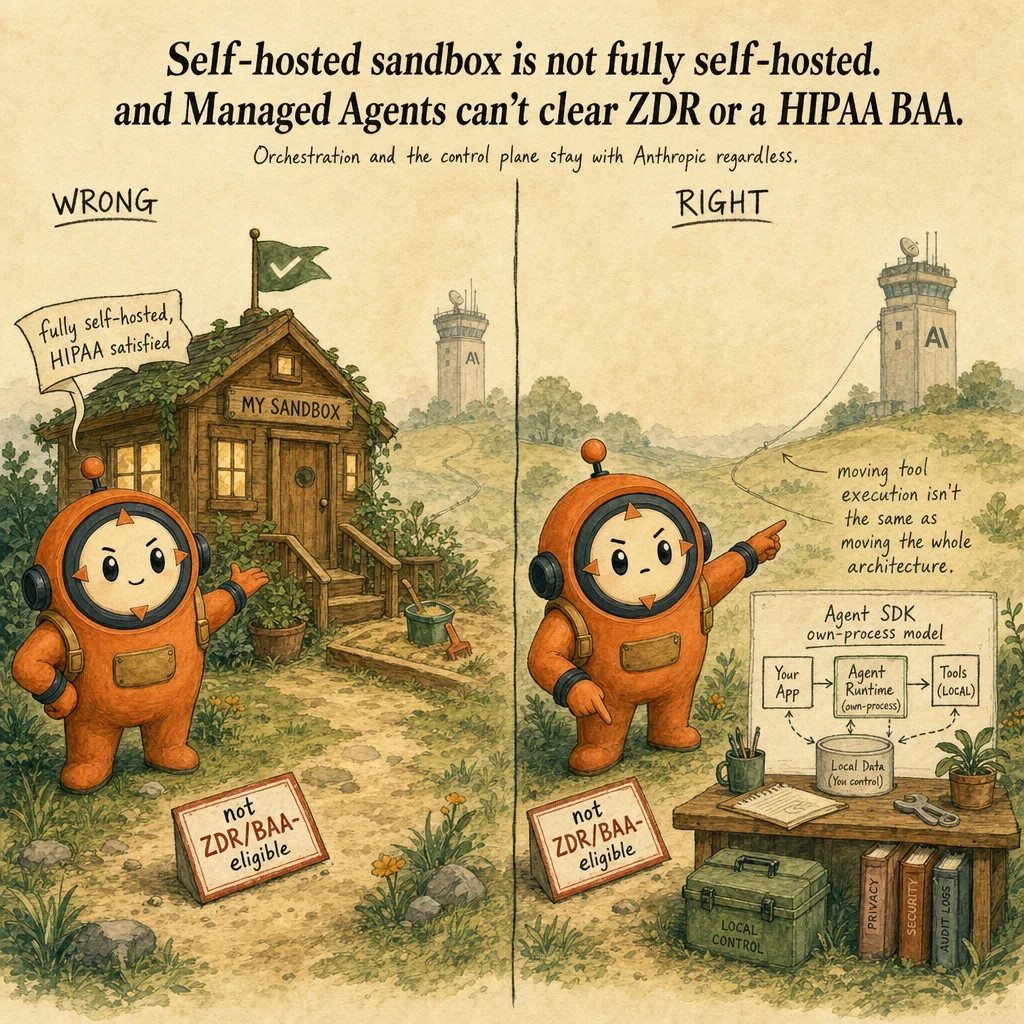
Managed Agents is a different runtime with its own core concepts and its own governance mechanism, not hooks. Its four building blocks are Agent (model + system prompt + tools + MCP servers + skills), Environment (an Anthropic-managed cloud sandbox, or a self-hosted sandbox on your own infrastructure), Session (a running agent instance), and Events (the messages exchanged between your app and the agent). Self-hosted sandboxes move tool execution onto infrastructure you control, but orchestration stays on Anthropic's side under a shared-responsibility model - Anthropic still secures the control plane: session/queue integrity and multi-tenant isolation. All Managed Agents calls require the managed-agents-2026-04-01 beta header, and because sessions are stateful by design (server-persisted conversation history, sandbox state, and outputs), Managed Agents is not currently eligible for Zero Data Retention or HIPAA BAA coverage - a hard constraint for regulated workloads, distinct from anything about hooks or tool access. Per-tool governance on a Managed Agents session runs through always_allow/always_ask policies set at agent-configuration time, not PreToolUse callbacks - see the auth and access control page for that distinction in depth. For scheduling and vault-based credential handling in a production Managed Agents deployment, see Claude Managed Agents in production.
Migration is a named, expected path, not an edge case. "A common path is to prototype with the Agent SDK locally, then move to Managed Agents for production" once a workload needs to run unattended for hours with no process babysitting it, or needs Anthropic to own sandbox/session persistence. The same tools and MCP servers typically carry over; what changes is who runs the loop and where the state lives.
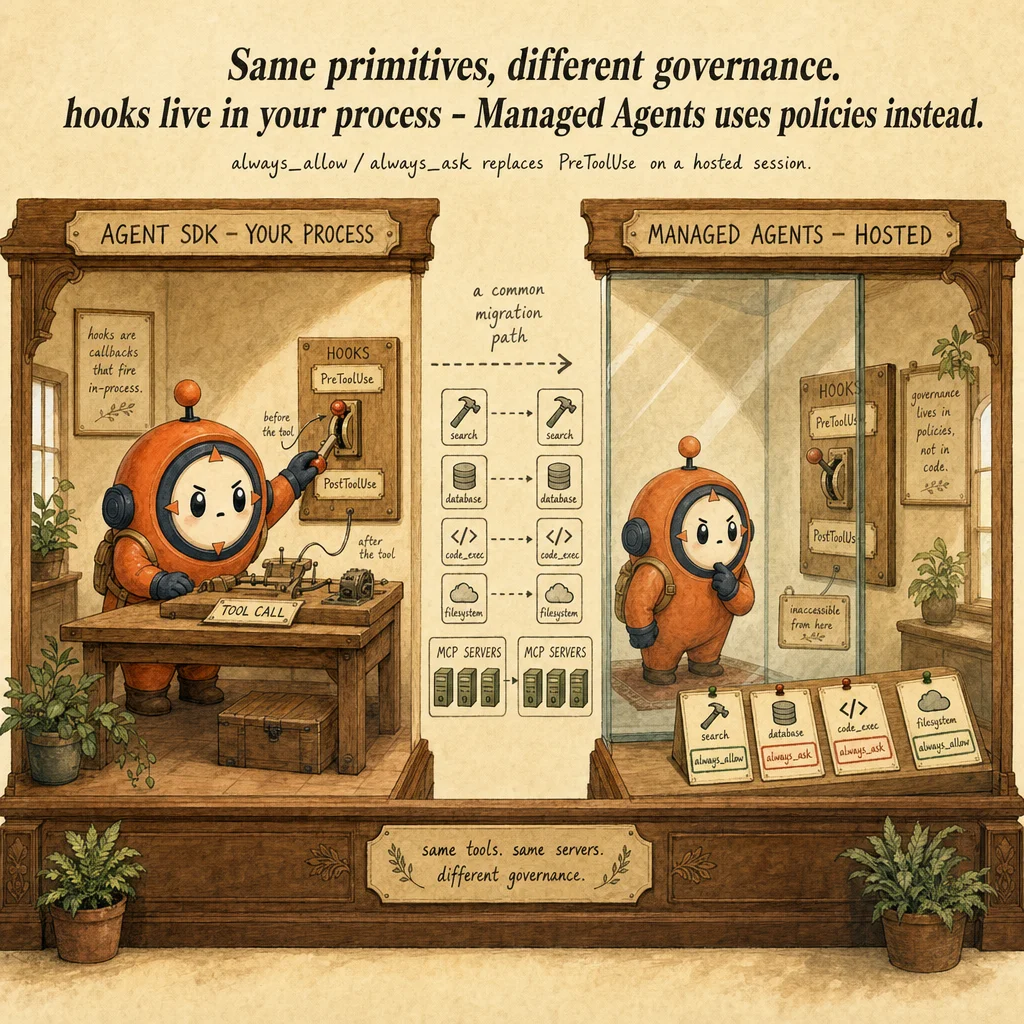
Treating "Agent SDK" and "Managed Agents" as the same thing with different marketing names. They differ on every axis that matters architecturally: who runs the loop (your process vs. Anthropic's infrastructure), where session state lives (your filesystem vs. a hosted event log), and whether hooks apply (Agent SDK yes, Managed Agents no - it uses per-tool policies instead). A second trap: assuming a "self-hosted sandbox" means fully self-hosted - orchestration and control-plane security (session/queue integrity, multi-tenant isolation) stay on Anthropic's side even when tool execution moves to your infrastructure. A third: assuming Managed Agents' stateful, production-grade persistence is compatible with Zero Data Retention or a HIPAA BAA - it explicitly is not, regardless of self-hosting.
Where you'll see it
Code-review agent prototype
Built locally with the Agent SDK: query(prompt="Review this codebase", options=ClaudeAgentOptions(allowed_tools=["Read","Glob","Grep"])) plus a PostToolUse hook logging every read to an audit file.
Unattended customer-ticket triage agent
The same tools and MCP servers migrate to Claude Managed Agents once the agent must run for hours against a live queue with no process babysitting it - governance shifts from PreToolUse hooks to always_ask per-tool policies.
Side-by-side
| Layer | Runs in | Interface | Session state | Custom tools | Best for |
|---|---|---|---|---|---|
| Client SDK / Messages API | Your process | Direct model calls, you dispatch tools | Whatever you build | You execute them entirely | Fine-grained, custom-built loop control |
| Claude Agent SDK | Your process, your infrastructure | Python/TypeScript library (query()) | JSONL on your filesystem | In-process Python/TypeScript functions | Local prototyping; agents working directly on your filesystem/services |
| Claude Managed Agents | Anthropic-managed infrastructure (or self-hosted sandbox, orchestration still Anthropic-side) | Hosted REST API + SSE events | Anthropic-hosted event log | Claude triggers the tool; you execute and return results | Long-running/async production agents without operating your own sandbox |
Decision tree
Do you need to write and fully control every iteration of the tool-dispatch loop yourself?
messages.create() calls, you implement the while stop_reason == "tool_use" loop.Should the agent loop run inside your own process, on your own infrastructure, with session state on your filesystem?
query() + ClaudeAgentOptions, built-in tools with zero execution code.Does the workload need to run unattended for hours/days without a process babysitting it, with Anthropic owning the sandbox and session persistence?
Do you need a deterministic pre/post-tool-call action independent of model compliance?
PreToolUse/PostToolUse callbacks) if on the Agent SDK; on Managed Agents the equivalent governance is always_allow/always_ask per-tool policies, not hooks - they are not interchangeable.allowed_tools, permission_mode) cover it.Does the deployment require Zero Data Retention or a HIPAA BAA?
Question patterns
6 V2 questions wired to this concept. Tap an answer to check it instantly - you'll see whether it's right and why - then expand the full breakdown for the mental model and all four rationales.
A developer wants Claude to autonomously decide which of several built-in tools to call and in what order, without the developer hand-writing a while stop_reason == "tool_use" loop. Which layer should they build on?
Frequently asked
Showing 2 of 2 questions
always_allow/always_ask policies set at agent-configuration time and evaluated server-side.