
On this page
TLDR
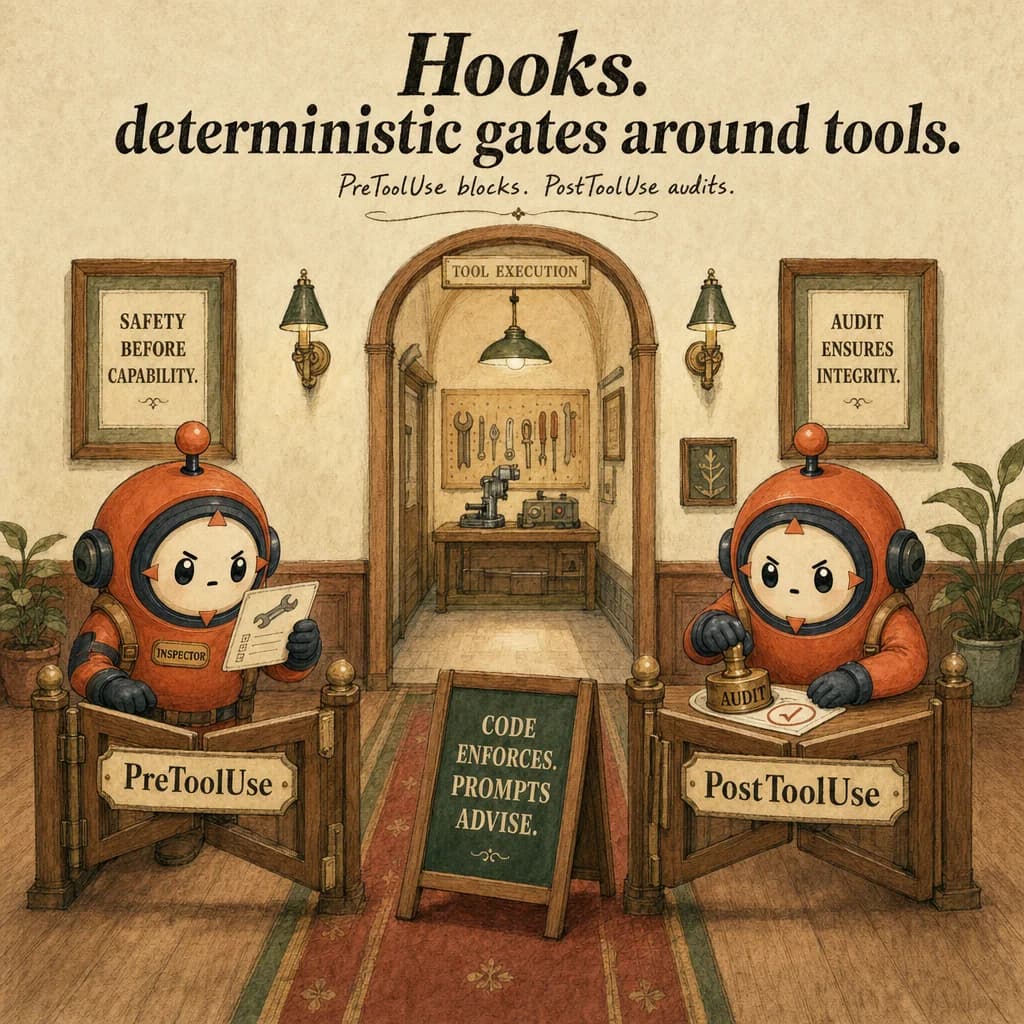
Hooks are deterministic code that runs before or after tool calls. They enforce policy that prompt-only patterns can't guarantee, refund limits, identity verification, audit logging. The exam pattern: prompt-only enforcement is wrong; hook is the deterministic gate.
What it is
A hook is a programmatic gate that runs before (PreToolUse) or after (PostToolUse) a tool executes, enabling deterministic policy enforcement. Unlike prompt instructions which are suggestions the model may ignore, hooks are execution-layer controls enforced by the SDK itself. When Claude requests a tool call, your PreToolUse hook intercepts it; you inspect arguments, validate against policy, and either allow the call or return an error block.
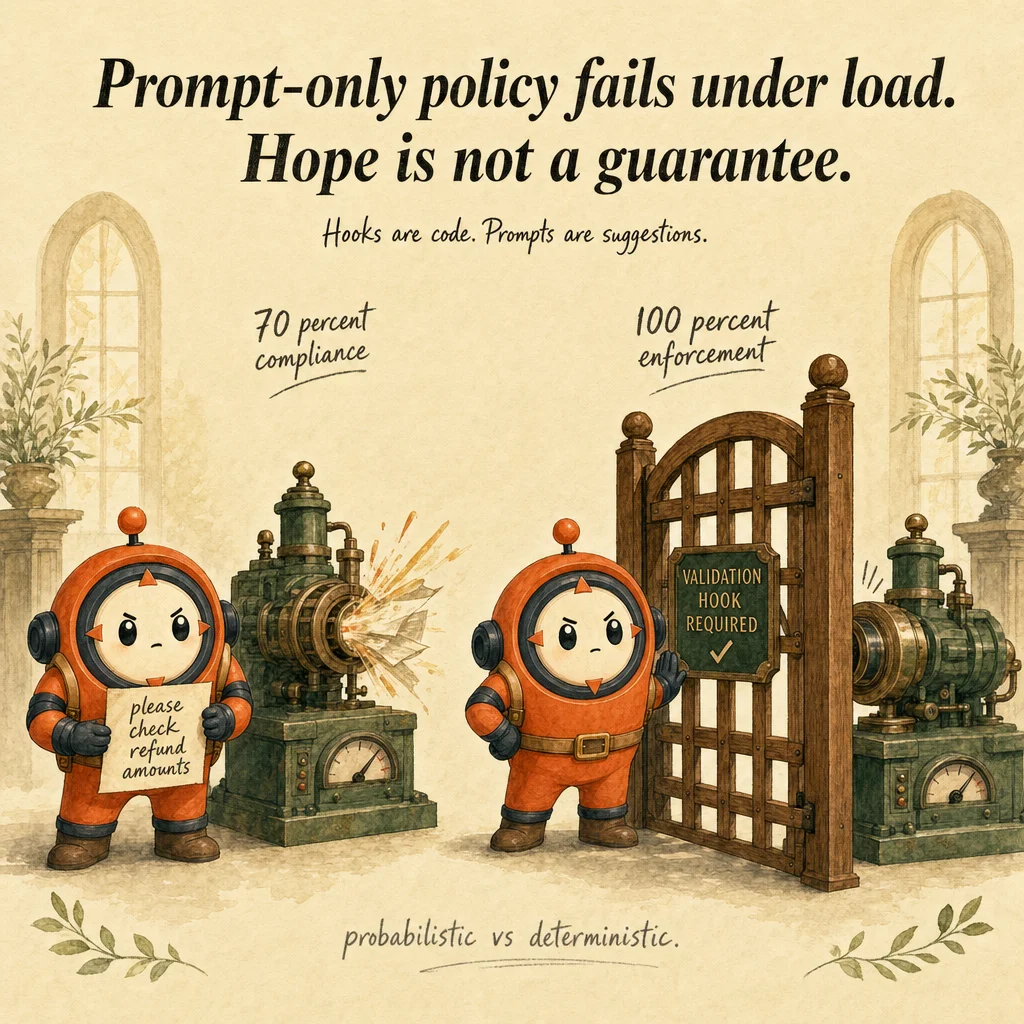
The fundamental insight is enforcement before execution. A prompt saying "never refund more than 500 dollars" is a suggestion; a 3% failure rate under production load proves it. A PreToolUse hook that checks input.amount <= 500 and exits with code 2 if violated is a guarantee: 100% enforcement, zero exceptions. This is the Prompt vs Hook heuristic, the single most-tested distractor pattern in Domain 2.
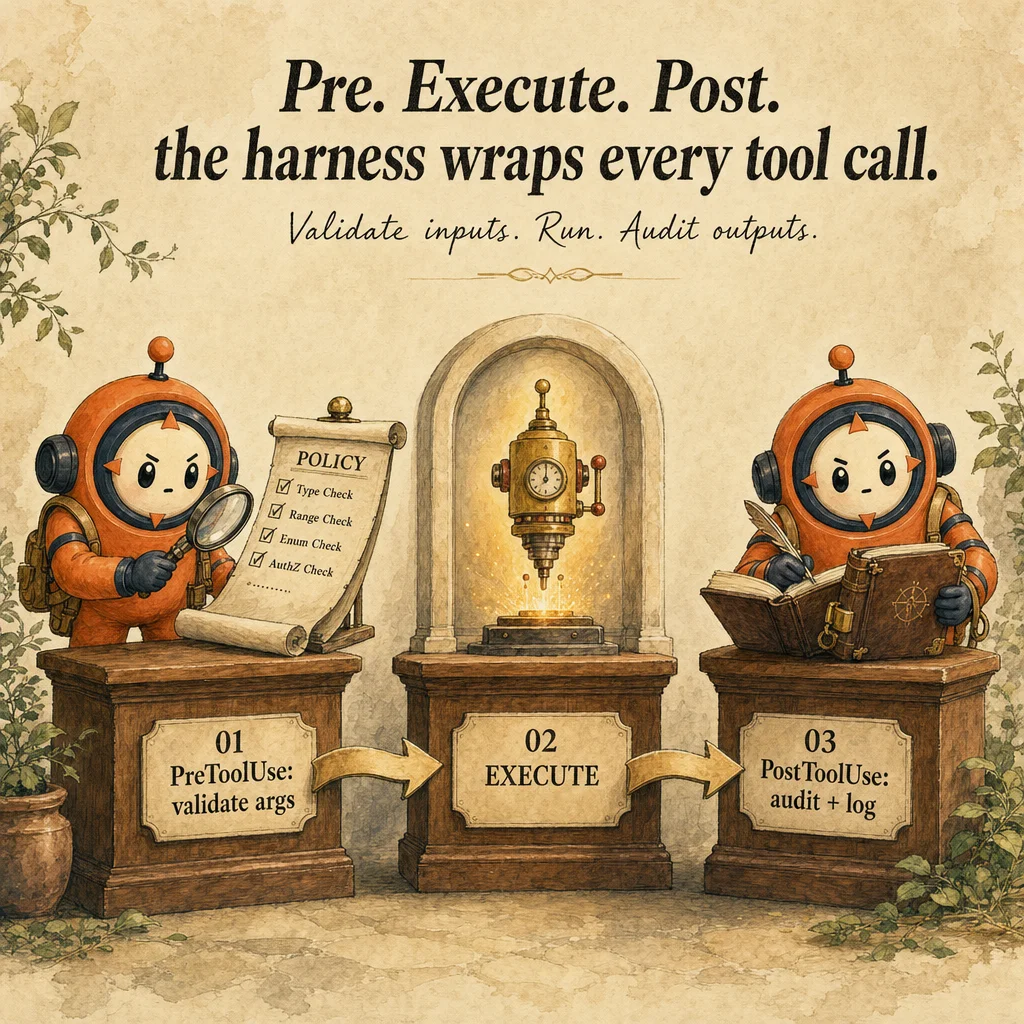
Hooks operate in two phases. PreToolUse runs with full authority to deny: your command returns exit code 2 (deny) or 0 (allow); Claude observes the signal and branches. PostToolUse runs after the fact, no veto power, but full observability: you receive the input and the raw result, ideal for normalized output transformation, audit logging, or triggering cascades. Architectural rule: if the rule affects whether something should happen, use PreToolUse; if it describes what happened, use PostToolUse.
Production hooks fail in two ways: incorrect matchers (a hook targeting Read never fires on Grep, each tool has a unique name) and silent errors (exit code 0 when validation fails, so Claude never sees the block). Without the hook, the tool runs, the policy is violated in production, and auditors catch it weeks later. With the hook, the violation is impossible at the execution layer.
How it works
The hook lifecycle has three steps. Step 1: Tool Interception. Claude emits a tool_use block; the SDK extracts the tool name and input JSON. Step 2: Hook Execution. Your hook command runs as a subprocess; stdin contains a JSON object with hook_event_name, tool_name, tool_input, and optionally tool_response (PostToolUse only). Step 3: Decision Point. PreToolUse: exit code 0 (allow), 2 (deny), 1 (error). If 2, Claude gets a tool_use_error block and recovers.
Matcher syntax is critical. A matcher is a pipe-separated list of tool names: 'Read|Edit|Grep' fires on any of those three. The wildcard '*' matches all tools (useful for cross-cutting concerns like security audit logging). Matchers are exact string matches; 'Read' does not match 'ReadFile'. For hook development, dump stdin with jq . > debug.json to inspect the exact structure.
Deterministic path handling is mandatory. The recommendation is absolute paths only in hook commands. Relative paths trigger path-interception attacks (MITRE T1574.007). Use ${HOME} expansion or a setup script that replaces $PWD placeholders with absolute paths to share hook configs across team members.
Execution context is stateless and isolated. Hooks run in a subprocess with stdin/stdout; they have no access to Claude's message history, no shared memory with previous hooks. If a PreToolUse hook needs to log a decision, it writes to a file or sends an HTTP request. If a PostToolUse hook needs to trigger another action (like running a formatter after Edit), it must spawn that command itself. Each hook is a black box: read JSON, compute, output.
Where you'll see it
Refund policy enforcement (SaaS support)
PreToolUse hook on process_refund. Reads stdin, extracts amount and customer_id. Queries policy database. If amount > 500 OR status = 'flagged', exits 2 with error. Without the hook, 3% of refunds violate policy; with the hook, zero violations.
Code execution sandboxing (CI/CD)
PreToolUse hook on Bash parses command string against a blocklist regex (rm -rf, sudo, drop database). If matches, exits 2. Claude proposes a safe alternative. Hook makes destructive commands impossible, even if the system prompt has no warning.
Show 2 more examples
Output normalization for structured extraction
PostToolUse hook on extract_entities. Reads raw result. If null, returns {entities: [], errors: [{msg: 'no content'}]}; if string, wraps it; if array, normalizes. Claude receives the normalized shape every time, no null-checks in the prompt needed.
Audit logging for financial transactions
PostToolUse hook on transfer_funds. Reads stdin, appends to compliance log: {timestamp, session_id, input, response, user_ip}. Exits 0. Claude never knows the hook ran; it's transparent. Auditors can later reconstruct the full history.
Code examples
#!/usr/bin/env python3
import json, sys, sqlite3

def check_refund_policy(tool_input):
    amount = tool_input.get("amount", 0)
    customer_id = tool_input.get("customer_id")

    if not customer_id:
        return {"allowed": False, "error": "customer_id required"}
    if amount > 500:
        return {"allowed": False, "error": f"amount {amount} exceeds policy 500"}

    conn = sqlite3.connect("/opt/policy.db")
    row = conn.execute(
        "SELECT status, lifetime_refunded FROM customers WHERE id = ?",
        (customer_id,),
    ).fetchone()
    conn.close()

    if not row:
        return {"allowed": False, "error": f"customer {customer_id} not found"}
    status, lifetime = row
    if status == "suspended":
        return {"allowed": False, "error": f"customer {customer_id} suspended"}
    if lifetime + amount > 2000:
        return {"allowed": False, "error": f"lifetime would be {lifetime + amount}, max 2000"}
    return {"allowed": True}

def main():
    try:
        hook_data = json.load(sys.stdin)
        result = check_refund_policy(hook_data["tool_input"])
        if result["allowed"]:
            sys.exit(0)
        else:
            print(json.dumps({"error": result["error"]}), file=sys.stderr)
            sys.exit(2)
    except Exception as e:
        print(json.dumps({"error": f"hook error: {e}"}), file=sys.stderr)
        sys.exit(1)

if __name__ == "__main__":
main()Looks right, isn't
Each row pairs a plausible-looking pattern with the failure it actually creates. These are the shapes exam distractors are built from.
Write the enforcement rule in the system prompt: "Never refund more than 500."
Production data shows 3-7% violation rate when enforcement is prompt-only.
Use a PreToolUse hook that checks the numeric value: 100% enforcement, zero variance.
Use a PostToolUse hook to enforce a rule after the tool ran.
If the rule says "don't refund more than 500" and you check after, the damage is done.
The transaction is logged. Use PreToolUse to prevent; PostToolUse only for reactive actions like logging.
Exit code 0 from a PreToolUse hook means valid; any other code means deny.
Protocol: exit 0 = allow, exit 2 = deny, exit 1 = hook error (halts agent).
Use exit 2 with stderr JSON for policy denial. Use exit 1 only for hook bugs.
Set 'async': true on a PreToolUse hook to avoid blocking Claude.
PreToolUse cannot be async: the tool is pending Claude's decision.
Async only works on PostToolUse. Async PreToolUse is a configuration error.
Use a regex matcher like 'process.*' to match all tools starting with 'process'.
Matchers are literal pipe-separated strings: 'process_refund|process_charge'.
No regex. To match many, list explicitly or use * for all. Regex patterns are silently ignored.
Side-by-side
| Mechanism | PreToolUse Hook | PostToolUse Hook | Prompt | Determinism |
|---|---|---|---|---|
| When it runs | Before tool | After tool | Every turn (vague) | Pre > Post >> Prompt |
| Can block? | Yes (exit 2) | No, already done | Model might ignore | Pre = 100%, Post = 0%, Prompt = 70% |
| Use for | Policies, gates, validation | Logging, normalization | Style, tone | Non-negotiable rules → Pre |
| Failure mode | Wrong matcher or exit code | Silent (exit 0 always) | Variation under load | Pre most robust |
| Replaceability | Cannot use prompt | Prompt + hook redundant | Hooks replace weak prompts | Hook > Prompt for hard rules |
| Audit trail | Each hook logged | Each hook logged | Hidden in conversation | Pre/Post = strong audit |
Decision tree
Is the rule non-negotiable (legal, financial, security)?
Do you need to prevent the operation from happening?
Is the rule based on exact data values (amount, status, ID)?
Do you have a blocklist or allowlist?
Does the rule require real-time data (DB query, quota, rate limit)?
Question patterns
6 V2 questions wired to this concept. Tap an answer to check it instantly - you'll see whether it's right and why - then expand the full breakdown for the mental model and all four rationales.
Your retriever subagent has [Read, Grep, Glob, WebSearch, Bash, Edit] and accidentally modified a config file. What was the design error?
Frequently asked
Showing 10 of 10 questions
amount <= 500 before the tool runs; exit 0 (allow) or 2 (deny). 100% enforcement.tool_use_error block in Claude's response. Claude reads it and recovers./home/user/hooks/script.sh, not ./hooks/script.sh.