
On this page
TLDR
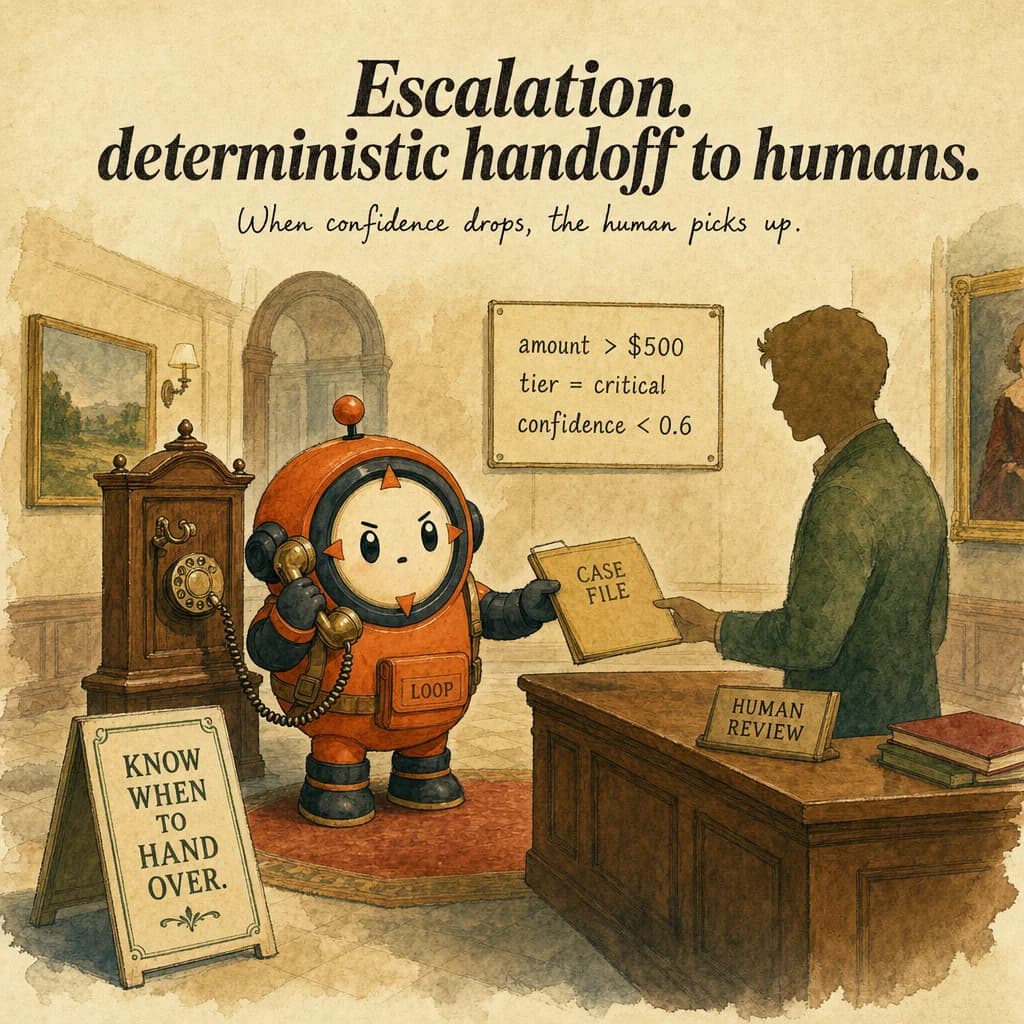
Escalation is the deterministic handoff path when policy thresholds, low confidence, or repeated failure conditions are hit. The exam pattern: prompt-only escalation policy is wrong; the correct architecture uses hooks or hard gates.
What it is
An escalation is a deterministic transfer of control from an automated agent to a human operator, triggered by an explicitly defined condition. It is not a fallback when the agent gets stuck. It is not a heuristic like "escalate if uncertain". It is a Boolean check: Is this condition met? Yes: interrupt, gather facts, hand off. No: continue.
The most common triggers are policy exceptions (refund exceeds limit), permission failures (access denied), explicit customer request ("I want a human"), and ambiguous input (conflicting sources, missing required field). The agent's job is to recognize these signals, structure the handoff, and transfer decisively. A well-designed escalation takes 1-2 seconds. A poor one wastes 5 minutes of a human's time.
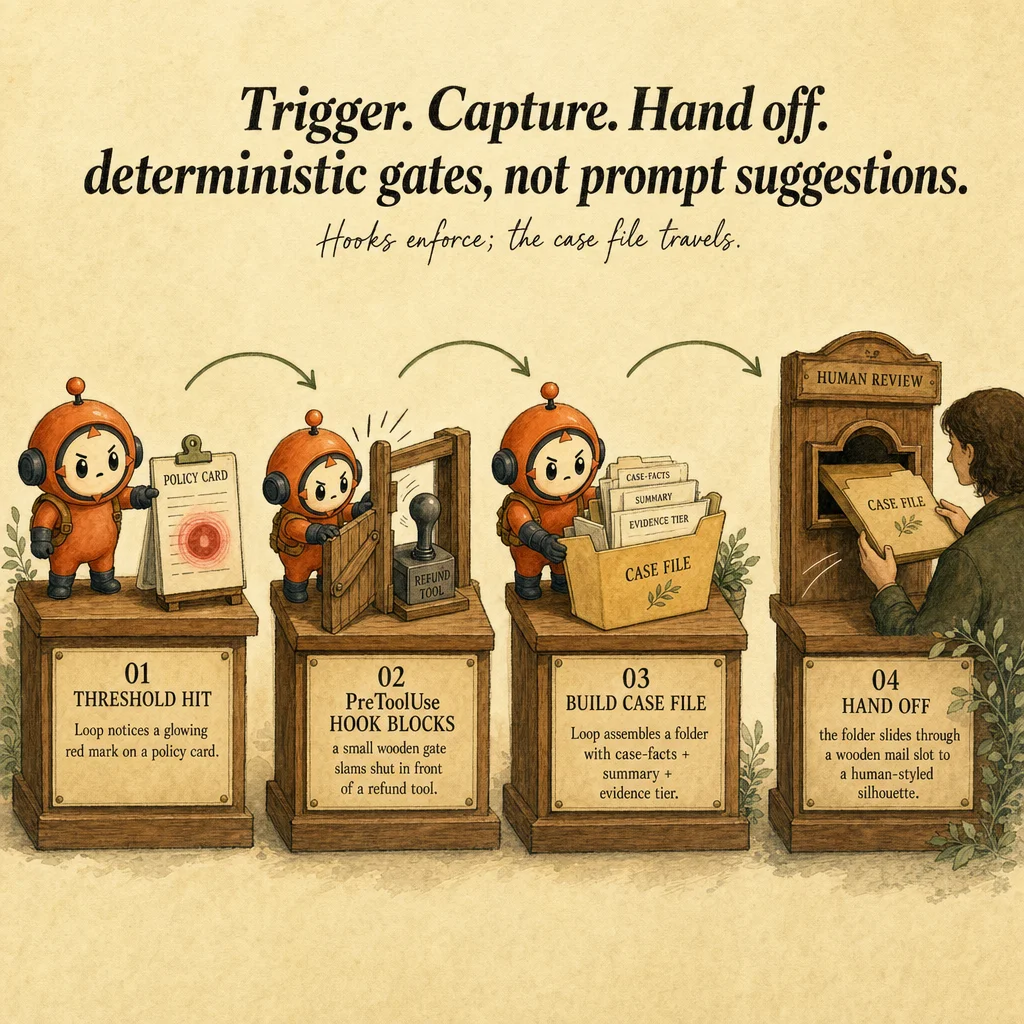
Escalation is a policy hook, not a prompt instruction. The agent does not decide via language like "I should escalate if the customer seems angry". The system enforces escalation via a PreToolUse hook that intercepts specific tool calls (e.g. process_refund) and checks: is this within policy? If any check fails, the hook blocks execution, constructs an escalation block, and exits the loop. Hooks execute before reasoning, guaranteeing compliance.
Escalation handoff has two phases: assembly and routing. In assembly, the harness gathers customer_id, order_id, transaction amount, policy limit, root cause, partial resolution status, and a one-sentence summary into a structured block (JSON or YAML, not prose). In routing, the block is sent to a queue (Slack, PagerDuty, email) and the agent stops. A human reads the block in 10 seconds and decides.
How it works
Escalation begins with trigger detection. A PreToolUse hook wraps high-stakes tool calls (process_refund, delete_record, send_communication). Before the tool executes, the hook evaluates the trigger condition: if refund_amount > policy_limit: escalate. The condition is deterministic, no fuzzy logic, no sentiment scoring. If true, execution halts and the agent does not get to argue for the exception.
Once triggered, escalation assembles the handoff block. The harness extracts and structures: customer_id, order_id, refund_amount, policy_limit, current_balance, root_cause (what the agent discovered), partial_resolution_status (what was accomplished), and recommended_action. The block is compact: 200-500 characters, readable in 10 seconds. Verbose blocks kill efficiency.
The block is routed to a queue. This is infrastructure, not agent code. Blocks land in Slack (#escalations), PagerDuty, or an email inbox. The queue includes timestamp, SLA, assignment, and a link to the full conversation. The agent stops and waits, or for batch workflows, saves the block and continues with a degraded fallback (auto-approve up to $100, escalate the rest).
Escalation success is binary: either the human resolves the case and signals back (database flag, API call), or the task is shelved. When a manager approves a $1000 refund, this approval is recorded. A subsequent retry of the agent loop checks the approval flag, and the process_refund hook sees approval_status: "manager_approved" and allows execution. Without this round-trip, the escalation is incomplete; the agent will re-attempt indefinitely.
Where you'll see it
Policy violation with PreToolUse hook
Refund request for $1200, policy max is $500. Hook checks if amount > 500: escalate. Block goes to Slack. Manager approves or denies in 5 seconds and updates database flag refund_approval: approved_1200. Agent retries; hook sees the flag, allows execution.
Ambiguous input requiring human sourcing
Three vendors claim different market shares. The agent cannot resolve. Escalation block: {conflict, sources, recommendation: "human sourcing decision"}. Without escalation, the agent would guess and silently produce inaccurate output.
Show 2 more examples
Permission failure (403 from infrastructure)
Operations agent tries restart_pod('prod-payment'). Tool returns 403 Forbidden. Harness detects error category. Escalation block routes to DevOps on-call. The on-call engineer either elevates permissions or performs the action themselves.
Explicit customer request
Customer says "I'd like to speak to a manager." Structural state-machine check: if "manager" in message: escalate_immediately. Block goes to manager queue. No agent reasoning, no multi-turn negotiation. This is policy, not judgment.
Code examples
from anthropic import Anthropic
import json

client = Anthropic()

def refund_hook(tool_name: str, tool_input: dict, facts: dict, policy: dict):
    """PreToolUse hook for process_refund. Returns {allow, escalate, block}."""
    if tool_name != "process_refund":
        return {"allow": True}

    amount = tool_input.get("amount", 0)
    if amount > policy["max_refund"]:
        return {
            "allow": False,
            "escalate": True,
            "block": json.dumps({
                "customer_id": facts["customer_id"],
                "order_id": facts["order_id"],
                "refund_amount": amount,
                "policy_limit": policy["max_refund"],
                "reason": f"Refund ${amount} exceeds limit ${policy['max_refund']}",
                "partial_status": "Order verified, reason confirmed",
                "recommended_action": "Manager approval required",
            }),
        }
    return {"allow": True}

# Run the agent with hook enforcement
def run_agent(msg: str, facts: dict, policy: dict):
    messages = [{"role": "user", "content": msg}]
    for turn in range(10):
        resp = client.messages.create(
            model="claude-opus-4-5", max_tokens=1024, messages=messages, tools=[...]
        )
        if resp.stop_reason == "end_turn":
            return {"status": "ok"}
        # Inspect tool_use blocks, run hook before execution
        for block in resp.content:
            if block.type == "tool_use":
                check = refund_hook(block.name, block.input, facts, policy)
                if check.get("escalate"):
                    return {"status": "escalated", "block": check["block"]}
        # ... append tool_result, continue ...
return {"status": "max_iterations"}Looks right, isn't
Each row pairs a plausible-looking pattern with the failure it actually creates. These are the shapes exam distractors are built from.
Prompt the agent to escalate if something seems risky.
Prompt-based escalation is unreliable.
The agent sees many "risky" cases and may not escalate any. Use deterministic hooks. Policy exceptions trigger hooks, not prompts.
Wait until the agent finishes its task, then check if it made mistakes, then escalate.
Escalation must happen BEFORE tool execution (PreToolUse hook), not after.
Catching mistakes post-execution means the refund was already processed, the email was already sent. Too late.
Escalate ambiguous cases by sending the full conversation transcript to a human.
Send a structured escalation block (200 chars, readable in 10s), not a transcript.
Humans cannot triage 20-turn conversations efficiently. Structure the facts the human needs.
If the agent is uncertain, have it escalate.
Uncertainty is not a trigger.
Only explicit conditions trigger escalation: policy exception, permission failure, ambiguous input, explicit request. Agent confidence is orthogonal to escalation triggers.
Once escalated, wait for the human to respond before continuing.
For user-blocking workflows (refund approval), yes, wait.
For batch workflows, save the block and continue with fallback (auto-approve up to $100, escalate the rest). Design determines the pattern.
Side-by-side
| Escalation Type | Trigger | Handoff Structure | Human SLA | Round-trip |
|---|---|---|---|---|
| Policy exception | PreToolUse hook: amount > limit | customer_id, amount, reason, partial_status | 30 min | Yes: approval flag → agent retry |
| Permission failure | Tool error: 403 | task, failure_reason, alternative | 1-5 min | No: human performs action |
| Ambiguous input | Agent detects conflict | conflict, sources, recommendation | 1-2 hours | No: human sourcing |
| Explicit request | Regex on user text | customer_id, request_context, current_stage | 5 min | No: transfer to queue |
| Missing field | Validation: required field null | field_name, blocking_reason, options | 15 min | Yes: collect field, retry |
| Compound (policy + missing field) | Multiple checks | All blocking conditions listed | 30 min | Yes: resolve all, retry |
Decision tree
Is this a deterministic policy rule (amount > limit, access denied)?
Can the agent proceed with a degraded fallback (auto-approve up to $X)?
Must the human re-enable the agent (round-trip)?
Is this an explicit customer request ("I want a human")?
How long can the human take to respond?
Question patterns

6 V2 questions wired to this concept. Tap an answer to check it instantly - you'll see whether it's right and why - then expand the full breakdown for the mental model and all four rationales.
Two subagents are returning conflicting reports about the same bug. How do you resolve it?
Frequently asked
Showing 10 of 10 questions