
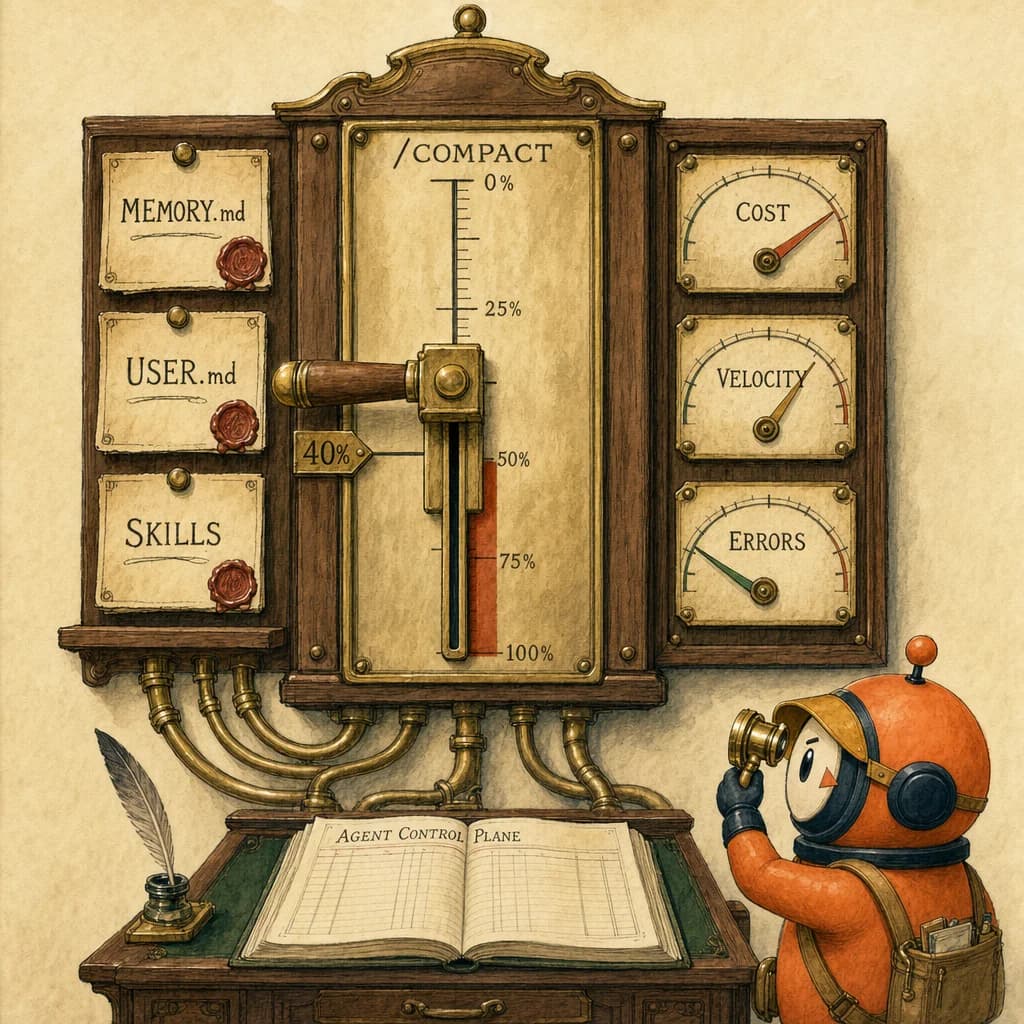
- ✓Treat Claude Code as an Agent Control Plane, not a chat window. /bg moves sessions out of terminal chaos into the visual view. MEMORY.md and USER.md at the repo root preserve context across sessions. /compact at 40% of context beats waiting until 50%+ where cost and accuracy both degrade. PostToolUse hooks pipe cost telemetry into a single dashboard. Community benchmarks via Hermes Agent show parallel tool execution cuts completion time by 40-60% versus sequential runs, and the visual Agent View reportedly cuts wasted API credits by 35% in teams that adopt it.
- ✓MEMORY.md and USER.md at the repo root are the load-bearing context files; the hierarchy concept page is the full schema the control plane reads.
- ✓PostToolUse hook is the architectural primitive that turns scattered agent runs into one cost-and-quality observable surface.
- ✓The /compact threshold at 40% is the worked example of deliberate context budgeting before lost-in-the-middle starts costing money.
Quick answer
The Agent Control Plane is the mental model that turns Claude Code from a chat window into a centralised orchestration and observability layer. Four load-bearing patterns: /bg for visual session management, MEMORY.md and USER.md at the repo root for persisted context, /compact at 40% to head off cost and accuracy degradation, and PostToolUse hooks piping spend into one dashboard. Teams adopting this pattern report cutting wasted API credits by 35%.
The wrong mental model most teams reach for
Most people run Claude Code like a smarter chatbot: one terminal, one prompt at a time, vibes-based session management, no shared memory between sessions.
That works for solo demos. It does not work for production agentic workflows where multiple agents run in parallel, each needs context, each costs money, and each produces artifacts you have to trust enough to merge.
The better mental model is the Agent Control Plane. The control plane has four primitives: visual session view, persisted context, modular capability, and telemetry. Below is the tactical checklist for each.
12 tactical patterns
- Move sessions into the visual view with
/bg. Terminal chaos is the canonical anti-pattern. Once you are running more than one agent, the visual view is where session state lives. - Treat the OS as one visual system across models and data sources. Not another chat window with nicer furniture. The point is unified observability, not a prettier prompt box.
- Drop
MEMORY.mdat the repo root. Without it, agents lose architecture context across sessions and rebuild it from scratch every time. That rebuild is paid for in tokens. - Drop
USER.mdnext to it. This is where operator or learner preferences live: tone, formatting, do-not-edit paths. Cheaper than re-explaining your conventions every session. - Put repeatable instructions in
/skillsas modular markdown. The control plane can track skills as named capabilities. Bury them in random prompts and you lose the ability to see what your fleet is doing. - Track every session with
/costorccusage. If you cannot see spend, you cannot prove ROI to yourself or to clients. Cost data is the spine of the entire control plane story. - Run
/compactaround 40%. Community guidance says cost and accuracy both degrade past 50%. Pre-emptive compaction is cheaper than reactive recovery. - Do not say "build a React app" to
/goal. That is not a specification, it is a fundraiser for the API bill. End-state goals need verifiable exit conditions. - The copy-paste rule for
/goal: "Do not exceed 5 iterations. Output final state as valid JSON." The iteration cap is the difference between a finished task and a runaway bill. - Pipe cost data through
PostToolUsehooks into one dashboard. That is the moment "AI productivity" stops being vibes and starts being a number with a denominator. - Parallel tool execution wins by 40-60% over sequential runs in Hermes Agent community benchmarks. Use it where the work has no inter-dependency; do not force it where there is.
- The visual Agent View reportedly cuts wasted API credits by 35% in teams that adopt the full control-plane pattern. Wasted credits are the leading indicator: when they drop, plan adherence, mastery velocity, and reviewer trust all follow.
The bonus tip nobody mentions
Past about 10 highly active parallel sessions, the visual UI starts getting RAM-heavy. That is a soft ceiling, not a hard one. Cap visible sessions, push the rest to background mode, and let the cost dashboard be the source of truth on what is running. The documentation is optimistic about this limit. Production usage at the upper end is not.
What still goes wrong
Three honest failure modes worth tracking from week one:
- Stale
MEMORY.md. It only works if it stays current. Set a weekly review cadence so the architecture map does not drift past the code. - Skills sprawl. Twenty named skills nobody remembers is worse than five well-curated ones. The control plane gives you visibility; you still have to curate.
- Cost dashboards without a baseline. A number that goes up or down means nothing without last week's number next to it. Capture the baseline on week one or you will be guessing forever.
How this shows up on the exam
D1 (Agentic Architecture, 27%) repeatedly tests orchestration as a first-class architectural layer. The classic distractor: a question describes an agent that produces inconsistent results, and the trap answers are "use a smarter model" or "improve the prompt". The correct answer is almost always architectural: a PostToolUse hook, a /compact discipline, explicit /goal end-state criteria. The Agent Control Plane is the management-tier name for that architecture; the exam tests the engineering-tier components.
D3 (Claude Code Configuration, 20%) tests the same pattern at the configuration layer. MEMORY.md, USER.md, /skills directory, .claude/rules globs, and /compact thresholds all have specific homes in the file system and specific behaviours. The exam reliably rewards candidates who can name where configuration lives, not just what it does. Internalise the directory map.
Where to take this next
If you have used /compact, /bg, or PostToolUse hooks in production, the question worth asking your team is which of these 12 tactics held up at scale and which ones leaked. The list reads cleanly. Production usage is where you find out which ones actually pay back the configuration effort.
4 direct routes into the scored material.
- conceptsMEMORY.md and USER.md at the repo root are the load-bearing context files; the hierarchy concept page is the full schema the control plane reads.
- conceptsPostToolUse hook is the architectural primitive that turns scattered agent runs into one cost-and-quality observable surface.
- conceptsThe /compact threshold at 40% is the worked example of deliberate context budgeting before lost-in-the-middle starts costing money.
- scenariosThe Agent Control Plane is the production shape of this scenario family. Skills as modular markdown is how the control plane keeps capabilities trackable.
Share this post.
One share is one less person stuck on the same question.