
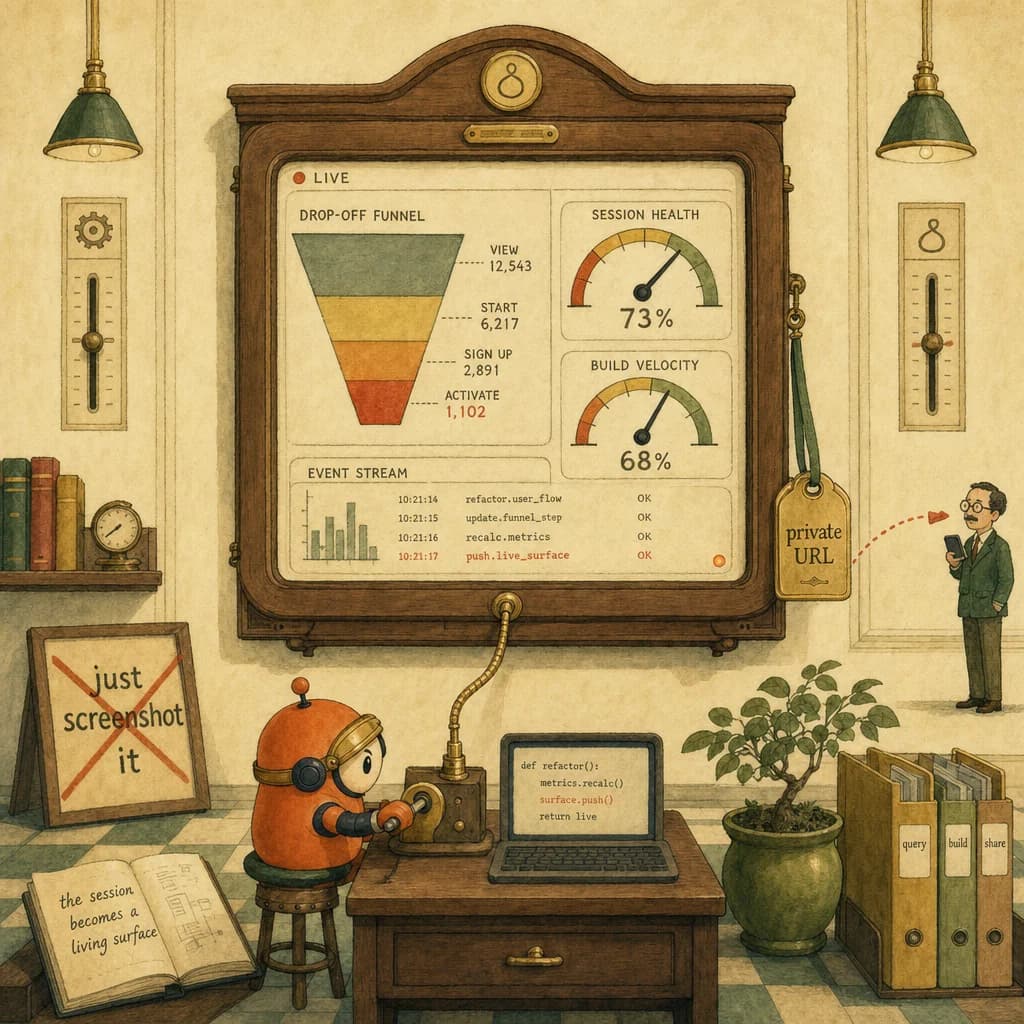
- ✓Claude Code Artifacts turn an AI coding session into a live, interactive HTML page you can share across your team via a private URL, now in beta for Team and Enterprise. An engineer can have Claude run a query, build a drop-off funnel dashboard, and update the live charts as the code is refactored, then send a manager a link. It maps to CCA-F Domain 3 (Claude Code Configuration and Workflows, 20% of the exam).
- ✓Claude Code Configuration and Workflows is Domain 3 of the CCA-F at 20%. The exam-guide hub maps the full blueprint.
- ✓Artifacts are a Claude Code workflow output. Understanding how CLAUDE.md and subagents shape a session is the configuration half of Domain 3.
- ✓An artifact that updates live as code refactors leans on the Claude Code workflow plumbing. This page covers the hooks and debugging layer.
Quick answer
Claude Code Artifacts turn a coding session into a live, shareable web page. Claude can run a query, build an interactive dashboard, update the charts live as the code refactors, and hand you a private URL to send a teammate - now in beta for Team and Enterprise. It is a Claude Code workflow output, which puts it squarely in CCA-F Domain 3, Configuration and Workflows.
What problem do Claude Code Artifacts solve?
A Claude Code session has always been a private thing: you run it in your terminal, you see the output, and sharing meant a screenshot or a copy-paste. That is fine for a quick fix and useless for anything a teammate needs to watch evolve.
Artifacts change the unit of output. Instead of a static export, a session can produce a live, interactive HTML page - a dashboard, an app design, an internal tool - reachable at a private URL. The work stops being trapped in one engineer's terminal and becomes a shared surface the rest of the team can open.
Static export versus live artifact
| Dimension | Screenshot / static export | Claude Code Artifact |
|---|---|---|
| State | Frozen at the moment of capture | Live - updates as code and data change |
| Form | An image or a file | An interactive HTML page |
| Sharing | Attach and re-send when it changes | One private URL that stays current |
| Data | Whatever was on screen | Live code plus multiple data sources |
| Audience | Whoever you send the file to | Team or Enterprise, via secure link |
The live-page-with-private-URL shape is first-hand from the beta coverage (first-hand). The end-to-end drop-off-funnel scenario is reported (reported); confirm current access controls before routing anything sensitive through a beta surface.
How it actually works: session-to-surface
The shift is that the session's result is a surface, not a snapshot.
Worked example - investigating a drop-off
- Prompt. An engineer asks Claude Code to investigate why users drop off in onboarding.
- Execute. In seconds, the agent runs a SQL read against the data and builds an interactive drop-off funnel dashboard.
- Diagnose. The agent reads the funnel, identifies the steps losing the most users, and proposes UI fixes.
- Stay live. As the agent refactors the code, the artifact's charts update in place - the dashboard reflects the new state, not the old screenshot.
- Share. The agent generates a secure link. A manager opens it on mobile and sees the current funnel, no rebuild needed.
The whole loop - query to dashboard to shared link - happens inside one session.
A name for it: Session-as-Surface
Session-as-Surface: a Claude Code session used to end at the terminal. With Artifacts, the session's output becomes a live surface - a URL that keeps reflecting the work as it evolves. The architectural shift is not "Claude can make a chart"; it is that the chart stays current and shareable without anyone re-exporting it. Design the session knowing its output is a living surface, not a one-time file.
This reframes a Domain 3 workflow question: the goal is not to produce a result, but to produce a result that stays correct and shareable as the work continues.
Why it matters for the CCA-F exam
Claude Code Configuration and Workflows is Domain 3 of the CCA-F at 20%. It tests how you set up and operate Claude Code end to end: context files, commands, hooks, subagents, and the outputs a session produces. Artifacts are the newest output surface, so the distractors reward workflow precision:
- Treating an artifact as a static export when its whole value is staying live.
- Routing an externally-sensitive workflow through a beta sharing surface without checking access controls.
- Confusing the OUTPUT surface (artifact) with the EXECUTION pattern (dynamic workflows) - different Domain 3 levers.
Start at the Claude Certified Architect certification hub for the Domain 3 blueprint, study the configuration half on subagent and CLAUDE.md inheritance, and the plumbing on debugging Claude Code hooks. For the feature itself, read the VentureBeat coverage of the Artifacts beta and Anthropic's own Artifacts help documentation.
How to apply it in one sitting
- Decide if the output should stay live. A one-time answer is fine as text; a thing teammates revisit should be an artifact.
- Let the session build the surface, not just the result: query, visualize, and produce the shareable page in one flow.
- Check the sharing scope before you send a link - beta access controls deserve a look for anything sensitive.
- Keep it current by design. The point is that the URL reflects the latest state, so route updates through the same artifact rather than re-exporting.
Artifacts move Claude Code from private terminal to shared surface. Build the session so its output is a living page, and the work explains itself to the rest of the team without a single screenshot.
5 direct routes into the scored material.
- exam-guideClaude Code Configuration and Workflows is Domain 3 of the CCA-F at 20%. The exam-guide hub maps the full blueprint.
- knowledgeArtifacts are a Claude Code workflow output. Understanding how CLAUDE.md and subagents shape a session is the configuration half of Domain 3.
- knowledgeAn artifact that updates live as code refactors leans on the Claude Code workflow plumbing. This page covers the hooks and debugging layer.
- practiceDomain 3 is scenario-based (configure a Claude Code workflow that produces a shareable result). Pressure-test on the free mock.
- exam-guideIf the Claude Code workflow depth here lands, this is how to get exam access through the Claude Partner Network or the individual path.
- VentureBeat coverage of the Artifacts beta· venturebeat.com
- Artifacts help documentation· support.claude.com
Share this post.
One share is one less person stuck on the same question.