

On this page
TLDR
Claude is one model family reached through several host surfaces, claude.ai/Desktop, Claude Code, and the raw Messages API/SDKs, and each supplies a different (or absent) scaffold: system prompt, persistent instructions, session hygiene, plugin infrastructure. The Messages API is a blank slate by default: Anthropic states its host system-prompt updates "do not apply to the Claude API," so every convenience a prototype enjoyed in claude.ai must be built explicitly at the API layer.
What you are deciding
The same task behaves differently in a Claude app and in your own API application because different parties own the instructions, state, schemas and integrations. Decide the owner of each before you move the task.
When this task moves between interfaces, who owns the instructions, the conversation state, the output schema and the integrations?
What it is
A Claude application is designed against whichever host surface it runs on, and the surfaces do not behave identically. claude.ai and Desktop inject a versioned system prompt into every conversation (today's date, Markdown-for-code conventions, guardrails); Claude Code auto-loads project memory from CLAUDE.md at the start of every session; a raw messages.create() call gets no default system prompt at all unless you pass your own system parameter. Designing a Claude application means knowing precisely what the host supplies for free and what has to be built explicitly once you leave that host.
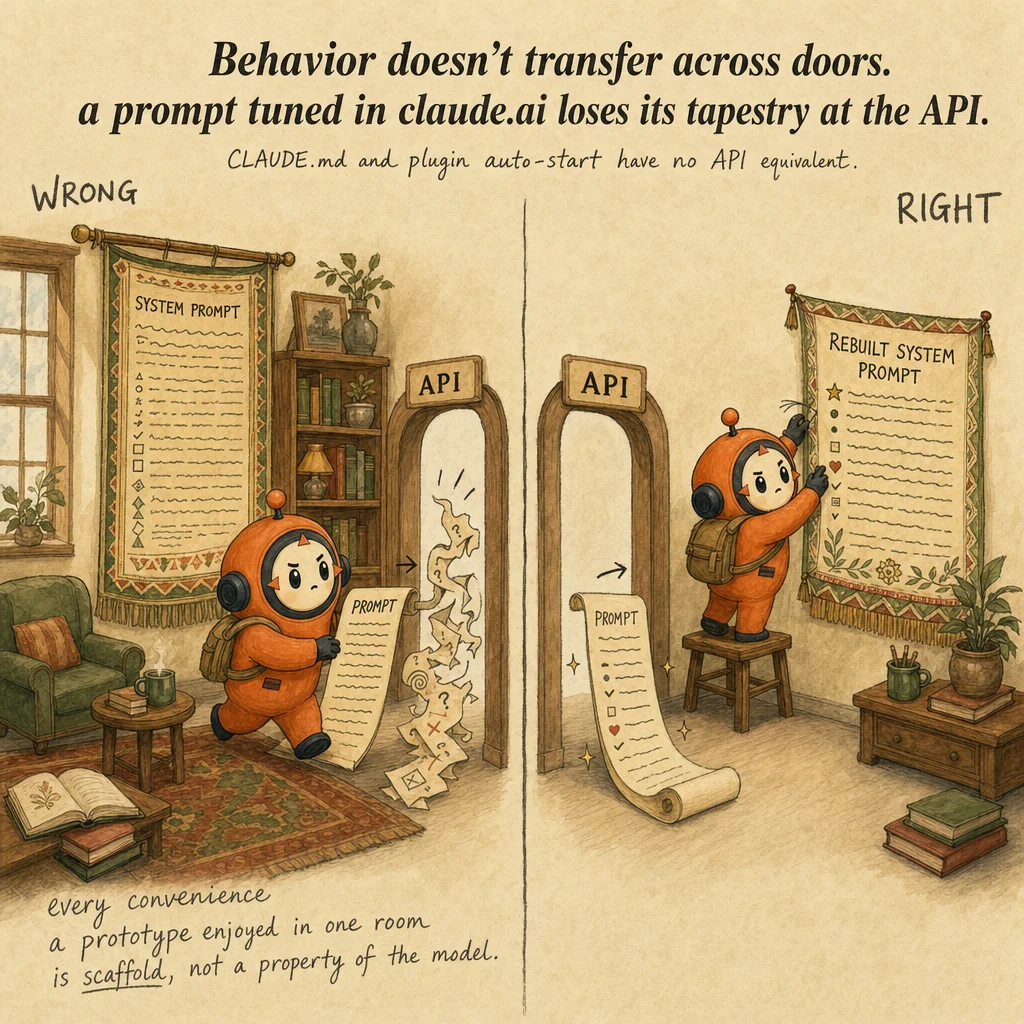
This matters most at the boundary where a team prototypes in one surface and ships in another. A prompt tuned inside claude.ai or Claude Code is quietly relying on that surface's injected system prompt, session conventions, and persistent-memory file, none of which travel with the prompt text itself when it moves to POST /v1/messages.
How each certification frames it
CCD-F: How CCD-F tests application design across interfaces
CCDVF-D2-O5Claude Application Design: design considerations for building Claude applications, including how Claude interprets instructions across interfaces (Claude Code, Desktop, claude.ai, API, SDKs), content boundaries, schema design, session hygiene, and plugin management
The Developer guide describes Claude Application Design as how Claude interprets instructions across interfaces (Claude Code, Desktop, claude.ai, API, SDKs), plus content boundaries, schema design, session hygiene and plugin management (PDF page 6, Domain 2).
A typical item describes a behavior that works in one interface and breaks in another, and asks what the developer must now supply explicitly.
How it works
System prompts are host-specific, not model-inherent. claude.ai/mobile ship a versioned system prompt per conversation; Anthropic is explicit that "these system prompt updates do not apply to the Claude API." A bare Messages API call starts with nothing until you set system yourself, request by request.
Persistent instructions are a Claude Code convention, not an API primitive. CLAUDE.md files "are loaded into the context window at the start of every session, consuming tokens alongside your conversation." The API has no equivalent auto-load: persistent instructions must be re-sent in system or the first message on every single request, or built into your own harness.
Session hygiene is a Claude Code UX layer. /clear resets stale context between unrelated tasks; /compact [focus instructions] summarizes history near context limits and is steerable from CLAUDE.md; /context and /mcp show what is consuming the window. Anthropic recommends keeping CLAUDE.md "under 200 lines," pushing workflow detail into on-demand Skills instead. The API's analogous unit is the message list you build per call plus prompt caching; there is no built-in /compact equivalent, that logic is yours to write.
Plugin management is Claude Code-specific infrastructure. A plugin is a directory containing .claude-plugin/plugin.json plus any of skills/, commands/, agents/, hooks/hooks.json, .mcp.json, .lsp.json, bin/, and settings.json at the plugin root (never inside .claude-plugin/). A plugin's MCP servers auto-start when the plugin is enabled, no manual startup step. Manage plugins via /plugin, add a marketplace with /plugin marketplace add owner/repo, and skills namespace as /plugin-name:skill so two plugins never collide on the same command name.
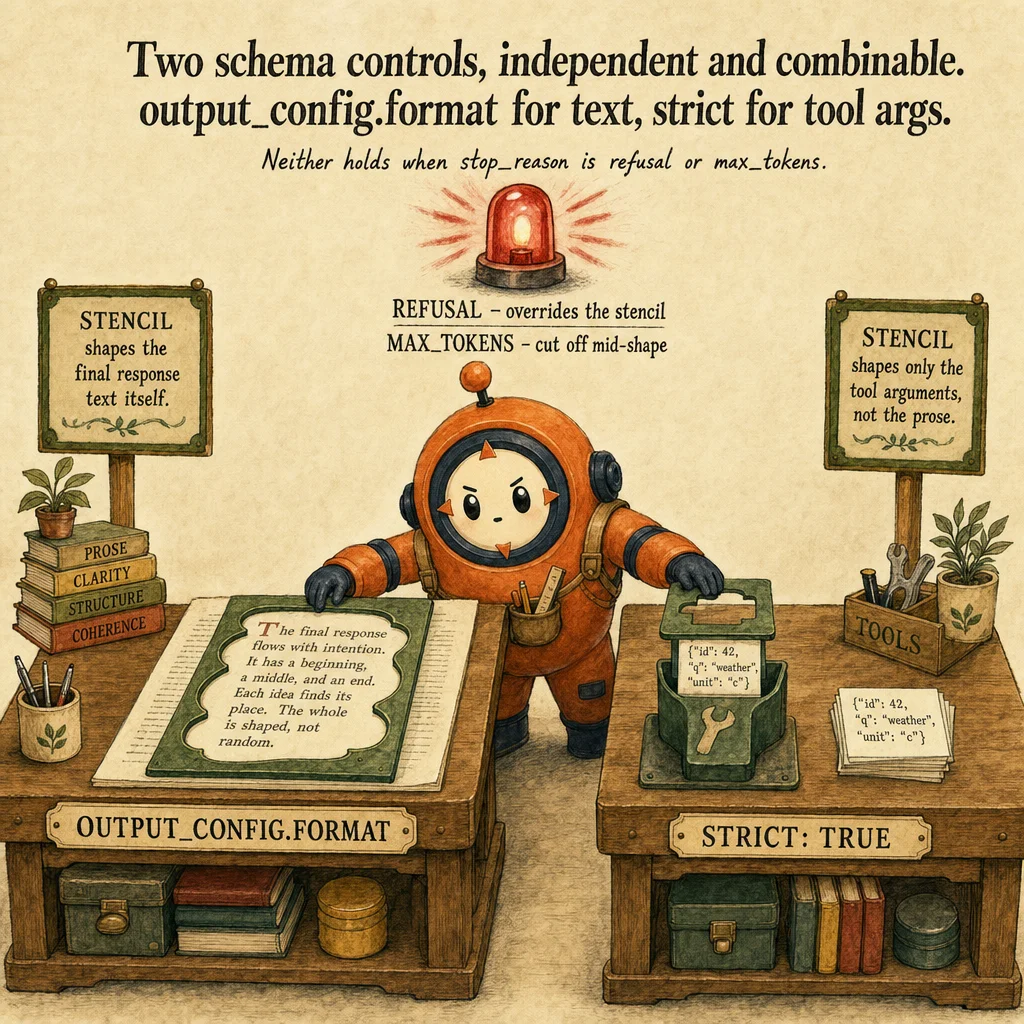
Schema design and content boundaries live at the API layer as two independent, combinable controls. output_config.format (a JSON Schema) constrains the *response text itself*; strict: true on a tool definition constrains *tool-call arguments* via grammar-constrained sampling, applied per tool. Both support basic types, enum, const, required, additionalProperties: false, select string formats, and minItems of 0 or 1; neither supports minimum/maximum, minLength/maxLength, recursive schemas, or external $ref. Compliance is not guaranteed when stop_reason is "refusal" (the refusal message overrides the schema) or "max_tokens" (the output is simply cut off mid-schema).
Worked example: moving a report task from a Claude app to an API application
Authored teaching example, not a bank question.
An analyst produces a weekly report in a Claude app by chatting with project instructions and uploaded files. The team wants the same report generated by a scheduled job through the API.
| Concern | In a Claude app | In your API application |
|---|---|---|
| Instructions | Configured in the interface | Sent with each request and versioned |
| Conversation state | Held by the app | Chosen and sent by your code |
| Output format | Read by a person | Schema you define and validate |
| Integrations | Connections the app provides | Tools you implement and execute |
Every item the interface used to provide is now an explicit line in the code. Check afterwards by running the job with the analyst's original inputs and comparing the validated output to the report the analyst produced.
How this decision goes wrong
Assuming interface settings configure API calls
Looks right: The instructions work in the app, so the API will follow them too.
Why it fails: App-level instructions are not part of an API request. A request carries only what your code sends.
Instead: Copy the instructions into the request deliberately and keep them under version control.
Unclear output contracts
Looks right: The report reads well when a person checks it.
Why it fails: A downstream job needs a predictable shape. Unstructured text breaks parsing the first time wording changes.
Instead: Define a schema, request structured output, and validate before use.
Where you'll see it
Internal code-review plugin
A team packages a repeatable code-review workflow as a Claude Code plugin (skills + hooks + an MCP server) and distributes it via an internal marketplace instead of leaving it in one developer's .claude/ directory.
Guaranteed-shape extraction service
A data-extraction endpoint on messages.create() uses output_config.format for the response schema, since no host scaffold like claude.ai's system prompt exists at the API layer to make the output shape trustworthy on its own.
Side-by-side
| Interface | System prompt | Persistent instructions | Session hygiene | Structured output control |
|---|---|---|---|---|
| claude.ai / Desktop | Host-injected, versioned per conversation | Project custom instructions + knowledge base | Host-managed (rolling, chat UI) | None; conversational output only |
| Claude Code | Harness-level, not a per-app system prompt | CLAUDE.md auto-loaded every session | /clear, /compact, /context, /mcp | N/A; agentic coding, not schema-bound output |
| Messages API / SDKs | None; blank slate unless you set system | Must be re-sent every request, no auto-memory | You build it: message list + prompt caching | output_config.format (response) or tool strict: true (args) |
Decision tree
Are you inside a host surface (claude.ai/Desktop or Claude Code), or calling the raw Messages API?
system, persistent instructions, and session logic explicitly.Do you need Claude's output to guarantee a schema?
output_config.format, or a tool's arguments with strict: true, these are independent, combinable controls, not the same knob.Are you building a capability meant to be reused by a whole Claude Code team, not just you?
skills/, hooks/hooks.json, .mcp.json) distributed via a marketplace, not left in one developer's personal .claude/ directory.Is context ballooning toward the window limit?
/compact [focus]; on the API, you implement your own summarization/prompt-caching strategy, there is no server-side /compact.The exam trap
Assuming behavior from one interface transfers unchanged to another, most commonly assuming the Messages API inherits claude.ai's injected system prompt, or that Claude Code's auto-loaded CLAUDE.md and auto-started plugin MCP servers have any API equivalent. They do not: every persistent-instruction, session, and plugin convenience is host scaffold, not a property of the model itself.
Question patterns
CCD-F practice questions
6 approved CCD-F questions for this topic. Tap an answer to check it, then read the rationale for every option.
A developer prototypes a prompt in claude.ai, is happy with the response's tone and Markdown formatting, then sends the "same" prompt via messages.create() and gets flatter, less-structured output. Why?
Frequently asked
Showing 4 of 4 questions
messages.create() call has no default system prompt unless you set system yourself.Sources and next steps
- Claude Certified Developer - Foundations Exam Guide v1.0 (July 2026), PDF page 6, section: Domain 2: Applications and Integration (Claude API Mechanics, Claude Application Design). Checked 2026-10-16.
- Features overview (Claude API docs), section: Model capabilities; Tools (client-side tools); Context management. Checked 2026-10-16.
- Messages (Claude API reference), section: Overview: single queries or stateless multi-turn conversations. Checked 2026-10-16.