
On this page
TLDR
Prompt caching reduces cost (~90%) on repeated context like long system prompts and tool definitions. Cache breakpoints, TTL, and cache_control field placement are exam patterns.
What it is
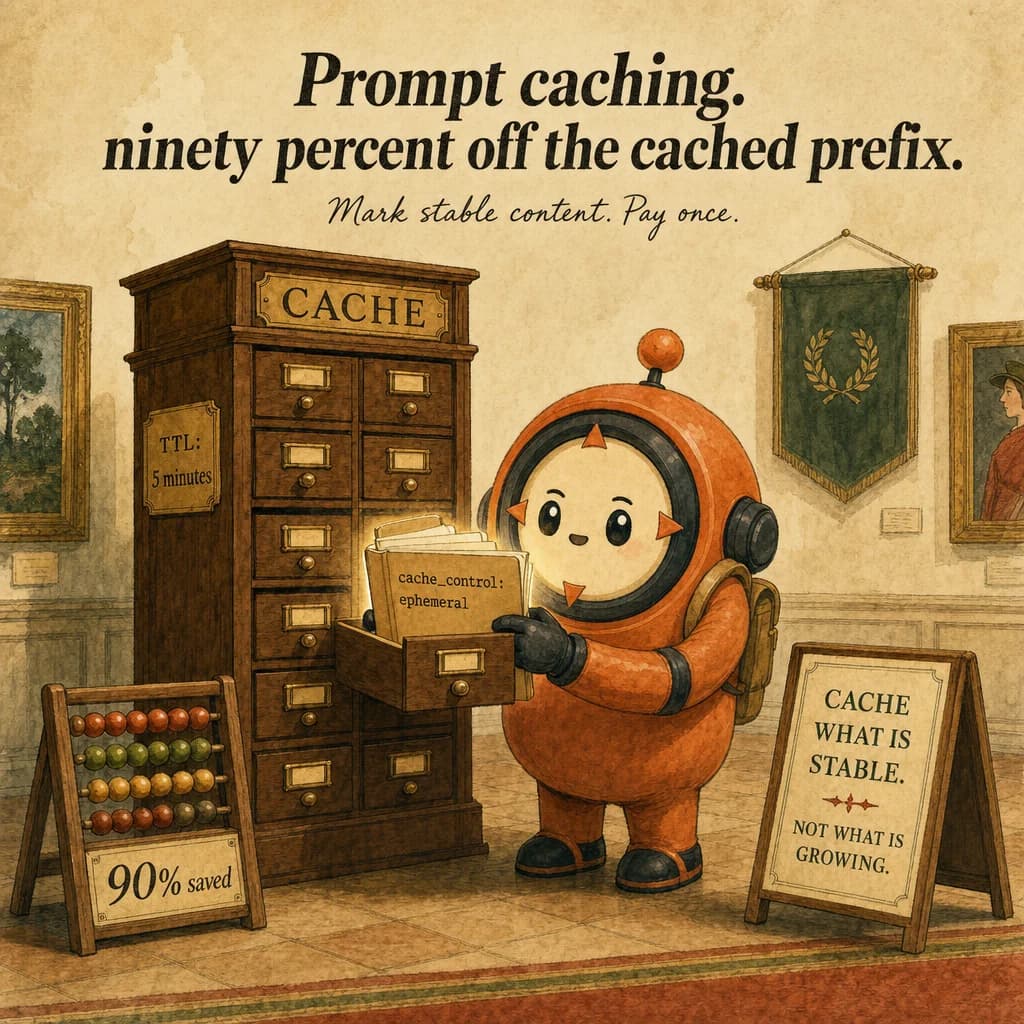
Prompt caching is a cost optimization that lets you reuse expensive prompt tokens across multiple API calls. Mark a section with cache_control: {type: "ephemeral"}, and Claude caches those tokens for 5 minutes. Every subsequent API call within the TTL with the same cached section pays ~90% less for those tokens. The cache is a memory optimization for the model's KV cache.
The cached section persists across turns in agentic loops, so it's ideal for content that doesn't change: system prompts, tool definitions, large reference docs, fact blocks. A single FIXED manual breakpoint won't track a growing message list (the content past that point keeps changing). But automatic caching handles this differently: its cache breakpoint moves forward on every request, so the growing conversation history itself IS cached turn-over-turn as a stable, advancing prefix — you don't re-mark it each time.
The cache has a 5-minute TTL by default, extendable to 1 hour. After 5 minutes of no access, the cache expires and the next call re-reads at full token cost. Intentional design: caching is for bursty workloads (a customer support loop running for 5 minutes), not permanent storage.
Production failures cluster around two gaps: caching content that changes (placing a FIXED manual breakpoint on content that mutates every call — genuinely a miss, though automatic caching's moving breakpoint avoids this for the message history specifically) and underscoping what's cacheable (not caching the system prompt when it's the biggest savings). A 1000-token system prompt called 10 times costs 10,000 fresh; with caching, ~1100 (89% savings).
How it works
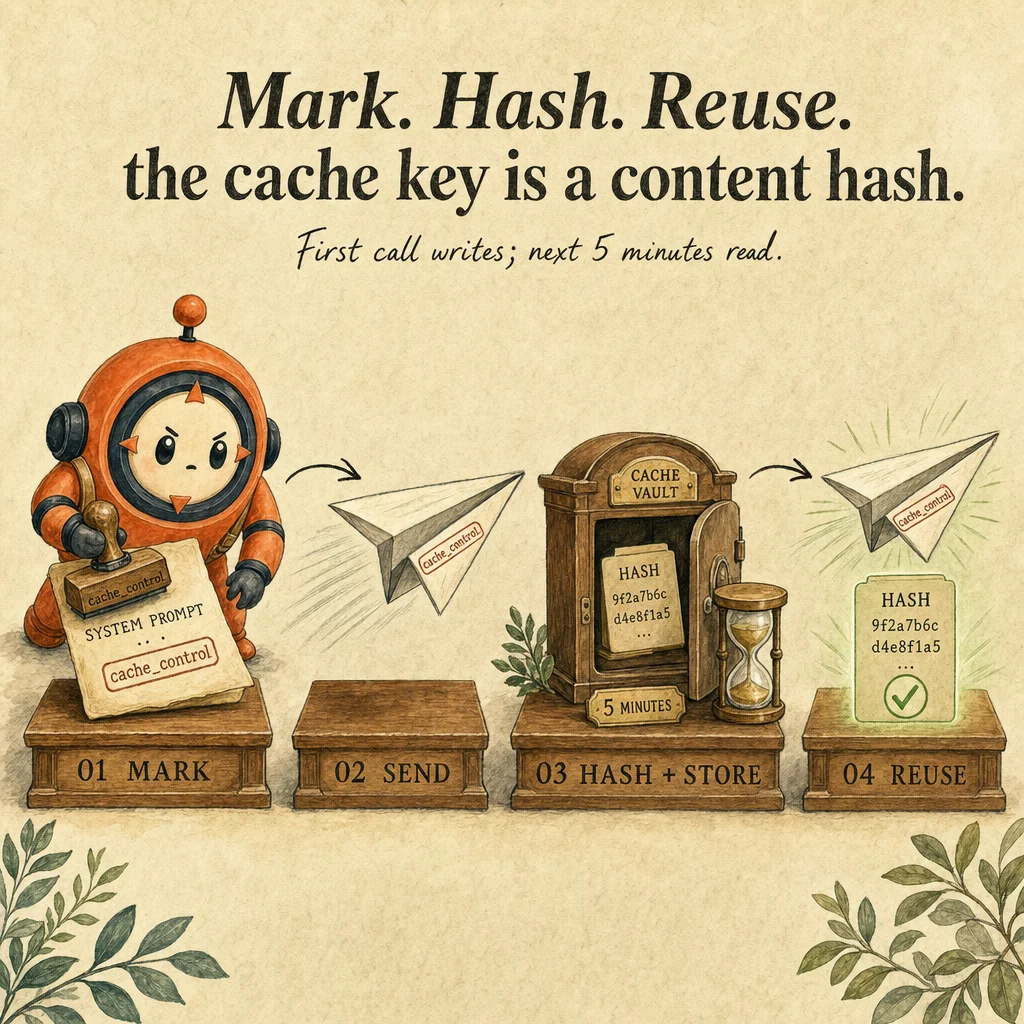
Caching is enabled by adding cache_control: {type: "ephemeral"} to a section. Both system and messages arrays support this. On the first call, Claude reads and caches. On the second (within 5 min) with identical content, Claude skips re-reading and uses the cached KV state, paying only the lookup cost (~10% of original).
The cache key is the exact content. Send the system prompt with a typo on turn 1, fix on turn 2 → cache miss. The content changed, turn 2 caches a new version, starts a new 5-minute window. Why immutable content is crucial for a manual, fixed breakpoint: refund policy (never changes), tool definitions (stable), customer facts (extracted once) are cacheable that way. The growing message list needs a DIFFERENT mechanism — automatic caching's moving breakpoint — rather than a fixed manual one.
The TTL is 5 minutes by default. Within 5 min, cache survives; after 5 min of no access, expires. Extend to 1 hour via cache_control: {type: "ephemeral", ttl: "1h"} (the ttl field, not max_tokens — 1-hour writes cost 2x base input price vs 1.25x for 5-minute writes). Longer loops re-cache automatically (cache expires, next call caches again).
Caching is isolated per workspace within an organization (per-organization on Bedrock and Google Cloud), not globally and not strictly per-conversation. Two different conversations — or two different subagents — CAN share the same cache if they send byte-identical content within the same workspace; the cache key is the content, not the conversation. Different workspaces never share a cache. A FIXED manual breakpoint won't track a growing conversation, but automatic caching's moving breakpoint does cache the growing history itself, turn over turn, as the stable prefix advances.
Where you'll see it
Customer support loop with cached system prompt
15-turn refund conversation. System prompt (1000 tokens) cached on turn 1. Turns 2-15 reuse, paying ~100 tokens each instead of 1000. Total savings: 8100 tokens, ~30% off the conversation cost.
Parallel subagents with shared tool definitions
Coordinator spawns 4 subagents to analyze 4 repos. Each gets the same 5-tool definition (400 tokens). With caching, first subagent caches (400 tokens), 2-4 reuse (~40 each). 1200 tokens saved, 75% off tool-definition cost.
Show 2 more examples
Long-context loop with immutable fact block
Invoice extraction loop, 50 invoices. System prompt + a 200-token customer-facts block both cached. All 50 extractions reuse both. ~60,000 tokens saved over 50 calls, 95% on fixed content.
Batch-job polling with consistent system rules
Overnight batch processing 1000 documents. System prompt cached once, 1000 calls reuse. Cache expires after 5 min of no access (end of first batch). Next batch starts fresh window. 90% savings on system-prompt overhead.
Code examples
from anthropic import Anthropic
client = Anthropic()

SYSTEM_PROMPT = """You are a customer support agent enforcing a $500 lifetime refund limit. Always verify customer first."""

TOOLS = [
    {"name": "verify_customer", "description": "Verify identity, retrieve refund history. Call first.", "input_schema": {...}},
    {"name": "lookup_order", "description": "Look up order by customer + order ID.", "input_schema": {...}},
    {"name": "process_refund", "description": "Process refund. Call only after verify + lookup.", "input_schema": {...}},
]

def run_support(customer_id: str, request: str):
    messages = [{"role": "user", "content": request}]
    for i in range(10):
        resp = client.messages.create(
            model="claude-opus-4-5",
            max_tokens=1024,
            # Cache the system prompt (90% savings on turns 2+)
            system=[{
                "type": "text",
                "text": SYSTEM_PROMPT,
                "cache_control": {"type": "ephemeral"},
            }],
            # Tools also cached in the SDK by default
            tools=TOOLS,
            messages=messages,
        )
        if resp.stop_reason == "end_turn":
            return resp.content[0].text
        messages.append({"role": "assistant", "content": resp.content})
        # ... handle tool_use, append tool_result ...
    return "max_iterations"

# Turn 1: full cost (~1500 tokens for system + tools)
# Turns 2-10: cached (~150 tokens each = 90% savings)Looks right, isn't
Each row pairs a plausible-looking pattern with the failure it actually creates. These are the shapes exam distractors are built from.
A single fixed manual cache_control marker on the message list will keep it cached as the conversation grows.
A FIXED marker won't — the list grows every turn, so a one-time breakpoint misses everything added since.
Use automatic caching instead, which moves its breakpoint forward each request and does correctly cache the growing history as a stable, advancing prefix.
Use ephemeral caching for frequently-updated content like daily news.
Ephemeral caching is for content that doesn't change within 5 minutes.
Daily-updated content causes cache misses on every change. Cache only immutable content.
Enable caching on the longest document in the prompt.
Enable on immutable content, not just long.
A 10,000-token policy doc that never changes is perfect. A 500-token fact block updated every turn is not. Cache what's constant.
Caching is global; once enabled, applies to all conversations.
Not fully global, but not strictly per-conversation either: caching is isolated per workspace (per-organization on Bedrock/GCP).
Identical content sent from different conversations, or different subagents, in the *same* workspace CAN share a cache hit — the cache key is the content, not the conversation.
After 5 minutes the cache extends automatically.
After 5 minutes of no access, the cache expires completely.
Next call re-reads at full cost, then starts a new 5-minute window. Plan for cache expiry in long-running loops.
Side-by-side
| Aspect | Cached (5min) | Cached (1hr+) | Not cached | Batch API (50%) |
|---|---|---|---|---|
| Content type | Immutable system, tools | Recurring reference docs | Content that changes every call, or misses a fixed manual breakpoint | Non-urgent bulk |
| TTL | 5 min default | 1 hr configurable | None | Up to 24 hr |
| Savings | 90% per reuse | 90% per reuse | 0% | 50% flat |
| Use when | Repeated calls same prompt | Recurring queries | First call or content changes | Can wait for results |
| Cost first call (cache write) | 125% (1.25x) | 200% (2x) | 100% | 100% of the batch rate |
| Cost 2nd-10th call | 10% each | 10% each | 100% each | 50% each |
Decision tree
Running an agentic loop (5+ turns) with the same system prompt?
Is the content constant within 5 minutes?
Large reference doc reused across calls?
Loop longer than 5 minutes?
Caching or Batch API?
Question patterns

6 V2 questions wired to this concept. Tap an answer to check it instantly - you'll see whether it's right and why - then expand the full breakdown for the mental model and all four rationales.
Your project root CLAUDE.md is 1,500 lines and Claude's responses are getting slower. Why, and what is the fix?
Frequently asked
Showing 10 of 10 questions
cache_control: { type: "ephemeral", ttl: "1h" } (the ttl field — not max_tokens, which is unrelated). A 1-hour write costs 2x base input price vs 1.25x for the default 5-minute write.