
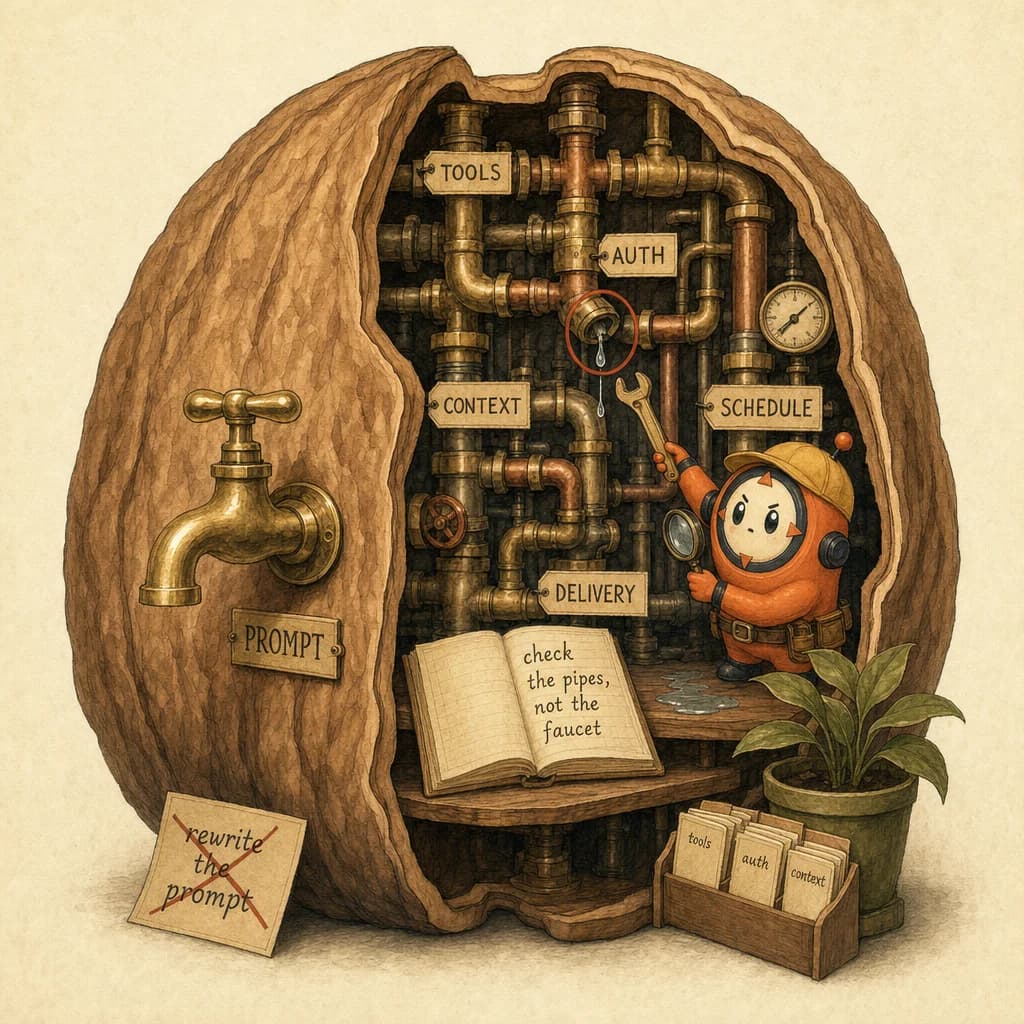
- ✓When a Claude agent breaks, the bug is almost never the prompt. It is the chain underneath it: tools, auth, context limits, and scheduling. Debugging that plumbing first is the reliability skill the CCA-F tests in tool design (D2) and context management (D5).
- ✓Most agent failures live in the tool layer, not the prompt. A wrong contract or a missing argument breaks the run quietly. Heavy D2 ground.
- ✓MCP is the boundary where your agent meets external systems. When the boundary's auth or schema drifts, the agent fails and the prompt is innocent.
- ✓What a tool returns on failure, and how the agent retries, decides whether a hiccup is a blip or an outage. The exact reliability detail D2 tests.
Quick answer
When a Claude agent fails, the bug is almost never the prompt. It is the chain underneath: tools, auth, context limits, scheduling, and delivery. "Send me a news digest every morning" looks like one instruction, but it is a scheduler firing a loop of tool calls, each with its own auth and failure mode. Debug that plumbing first. The instinct to rewrite the prompt, the Prompt-Blame Reflex, is what keeps agents broken.
Why do agents actually fail?
A single sentence ("post a daily summary to my team chat") hides a multi-step system. Under the hood, an agent is a loop: the model emits a tool_use, your code runs the tool, appends the tool_result, and the model continues until it stops. (First-hand: this is the real agent loop, the same one agentic loops describes.)
Every link in that loop is a place to fail, and most of them are not the prompt:
- Tools authenticate with secrets. A missing, wrong, or expired key makes a tool fail silently. The model sees an error or empty result and improvises, badly. (First-hand.)
- Tools have contracts. Via MCP, each tool declares the inputs it expects and the output it returns. Send the wrong shape, or have an upstream API quietly change its response, and the agent breaks at the boundary. (First-hand.)
- Context fills up. A long-running agent accumulates history until it exceeds the context window and truncates state. The agent "forgets" what it was doing mid-task. (First-hand.)
- Schedulers and quotas are invisible. If the trigger never fired, or a rate limit blocked the call, there is no prompt on earth that fixes it.
The reflex is to blame the wording because the prompt is the one part you can see and edit. That instinct points you at the façade while the leak is in the pipes. (Inference: this is how these failures cluster in practice, not a measured statistic.)
Where agents fail (and why it's rarely the prompt)
| Layer | What it is | Typical symptom | The fix (not the prompt) | CCA-F domain |
|---|---|---|---|---|
| Trigger / scheduler | The cron or event that starts the run | "It just stopped running" | Check the schedule, quota, and logs | D5 Reliability |
| Auth / secrets | The key each tool uses | Empty or "unauthorized" results | Rotate / re-set the secret | D2 Tool design |
| Tool contract | The tool's expected inputs and outputs | "Worked yesterday, fails today" | Diff the tool / API schema | D2 Tool design |
| Context window | The model's working memory | Agent forgets mid-task | Trim, summarize, or hand off state | D5 Context mgmt |
| Delivery / integration | Where the result is sent | "It ran but nothing arrived" | Check the destination integration | D2 Integration |
Four of the five layers are pure plumbing. Only the model's reasoning sits anywhere near the prompt, and even that is usually starved of context rather than badly worded.
How to debug an agent: walk the chain
The method is boring and fast: start at the trigger and walk outward, checking one link at a time. Do not touch the prompt until every other link is proven good.
Worked example - "the morning digest stopped arriving."
- Did it run? Check the scheduler and logs. No run means a trigger or quota problem. Stop here if so. (Layer 1.)
- Did the tools authenticate? Look for empty or "unauthorized" tool results. A rotated API key is the single most common culprit. (Layer 2.)
- Did the tools return the expected shape? If a source API changed its response, the agent received garbage it could not parse. Diff the contract. (Layer 3.)
- Did the context overflow? On a long run, summarize or trim history so the agent does not truncate its own state. (Layer 4.)
- Did the result get delivered? A successful run with no output is a delivery-integration bug, not a model bug. (Layer 5.)
Notice that the prompt never came up. In most real incidents, by the time you reach a prompt edit you have already found the bug.
A name for it: the Prompt-Blame Reflex
The Prompt-Blame Reflex - the instinct to rewrite the prompt the moment an agent misbehaves, because the prompt is the only part you can see and edit. It sends you debugging the façade while the leak is in the pipes.
The cure is a discipline:
Plumbing-First Debugging - when an agent fails, suspect the chain before the prompt. Walk trigger, auth, tool contract, context, and delivery in order. Reach for the prompt only after the wiring is proven clean.
Put plainly: the prompt is the front of the house. The chain of tools, auth, context, and integrations is the product.
Why it matters for CCA-F
Here is the read you will not get from a launch recap: agent debugging is a systems skill, and the CCA-F tests the system, not the sentence.
- The tool and boundary layer is D2 Tool Design and MCP Integration, 18% of the exam: tool contracts, the MCP boundary, and what a tool returns on failure (see MCP error contracts and retry).
- The context and reliability layer is D5 Context Management and Reliability, 15%: keeping a long-running agent's context window from truncating its own state.
The distractor pattern to memorize. On D2 and D5 scenario questions, the trap answer is almost always "refine the prompt" or "switch to a more capable model." When a scenario describes an agent that worked and then failed, or one that produces empty or malformed results, the architecturally correct move is usually one of:
- Fix the integration (the secret, the tool contract, the MCP schema), or
- Manage the context (trim, summarize, or hand off state before the window overflows), or
- Harden the failure path (retry, validate the tool result, fail loudly instead of improvising).
If the scenario hands you a broken agent and a tempting "improve the prompt" option, that option is the bait.
How to apply it
- Log every layer. You cannot walk a chain you cannot see. Make the trigger, each tool call, its auth result, and the delivery all observable.
- Check secrets before syntax. When an agent that worked breaks, diff the environment first. Rotated and expired keys cause more outages than bad prompts ever will.
- Validate tool outputs. Treat every tool result as untrusted input. A schema check at the boundary turns a silent garbage-in failure into a clear, catchable error.
- Budget context deliberately. For long runs, summarize or hand off state on a schedule so the agent never truncates itself. See context window.
- Fail loudly. An agent that improvises around a missing tool hides the bug. Make tool failures stop the run and surface the cause.
- Edit the prompt last. It is the final suspect, not the first. By the time you get there, you have usually already found the leak.
The meta-skill, and the D2 and D5 exam skill, is the same: stop debugging the sentence, and start debugging the system.
5 direct routes into the scored material.
- conceptsMost agent failures live in the tool layer, not the prompt. A wrong contract or a missing argument breaks the run quietly. Heavy D2 ground.
- conceptsMCP is the boundary where your agent meets external systems. When the boundary's auth or schema drifts, the agent fails and the prompt is innocent.
- knowledgeWhat a tool returns on failure, and how the agent retries, decides whether a hiccup is a blip or an outage. The exact reliability detail D2 tests.
- conceptsLong-running agents quietly truncate state when the window fills. The agent 'forgets' mid-task and looks dumb. That is a D5 failure, not a prompt one.
- scenariosThe canonical D2 scenario: designing the tools and their contracts so the agent can actually be debugged when it breaks.
Share this post.
One share is one less person stuck on the same question.