

On this page
TLDR
Vision lets Claude process images alongside text. A full deep-dive guide is coming soon.
What it is
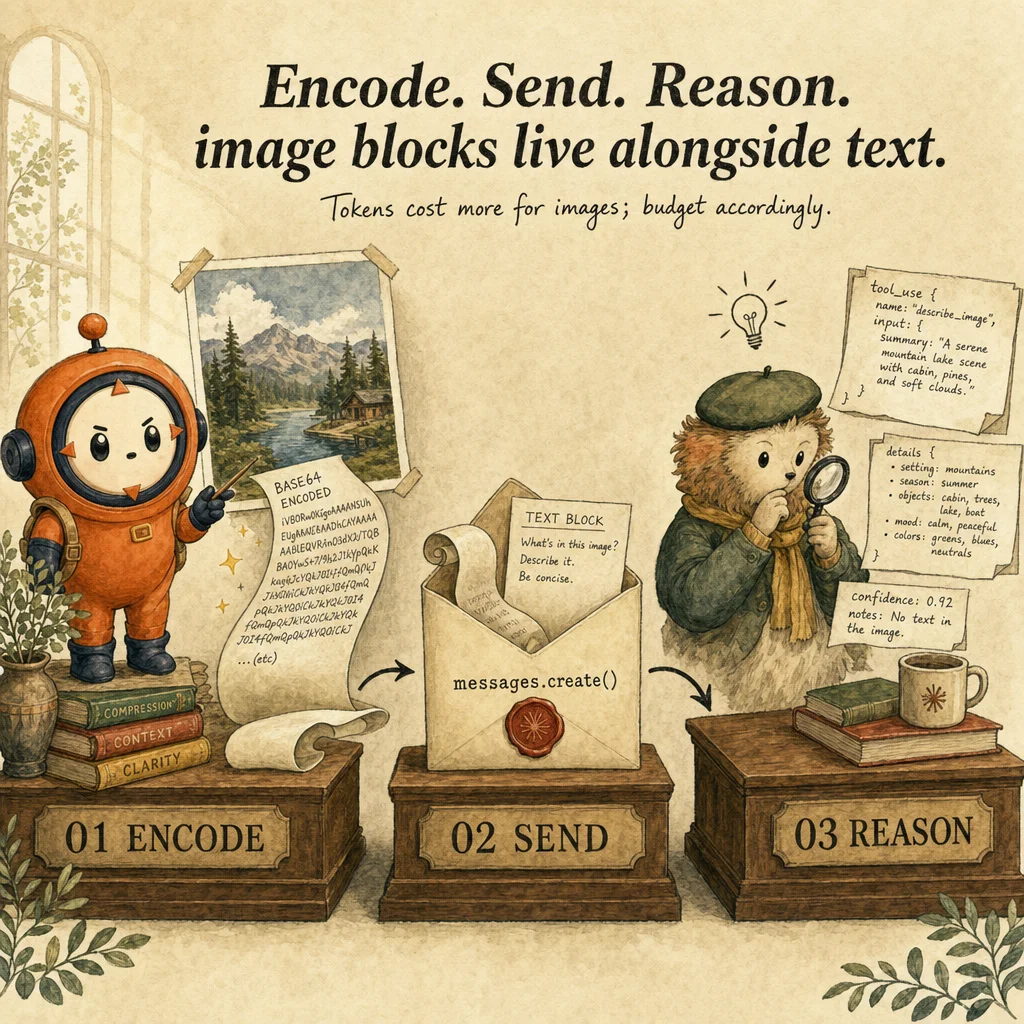
Vision multimodal is Claude's capability to analyze images, charts, screenshots, diagrams, and documents alongside text in a single request. Image content blocks ({type: "image", source: {...}}) are appended to the messages array just like text, and Claude processes them holistically. Each image costs tokens based on size: ~300 for thumbnails, ~1000-1200 for document pages. No per-image flat fee, only per-token pricing.
What makes vision multimodal rather than sequential is that text and image understanding happen in a single model pass. Claude doesn't see image first, then prompt, then reason backwards. The transformer's input embeddings encode both image patches (via vision tokenization) and text tokens in the same sequence, allowing the model to ground language in visual content directly.
Image content can be passed in three forms: base64-encoded (data embedded in JSON, no external URL), URL reference (Claude fetches from public HTTPS), or file upload via Files API (sensitive documents or when base64 bloats payload). Production use cases: OCR (text from scans), chart reading, document understanding (invoices, contracts, forms), UI/UX review (screenshots).
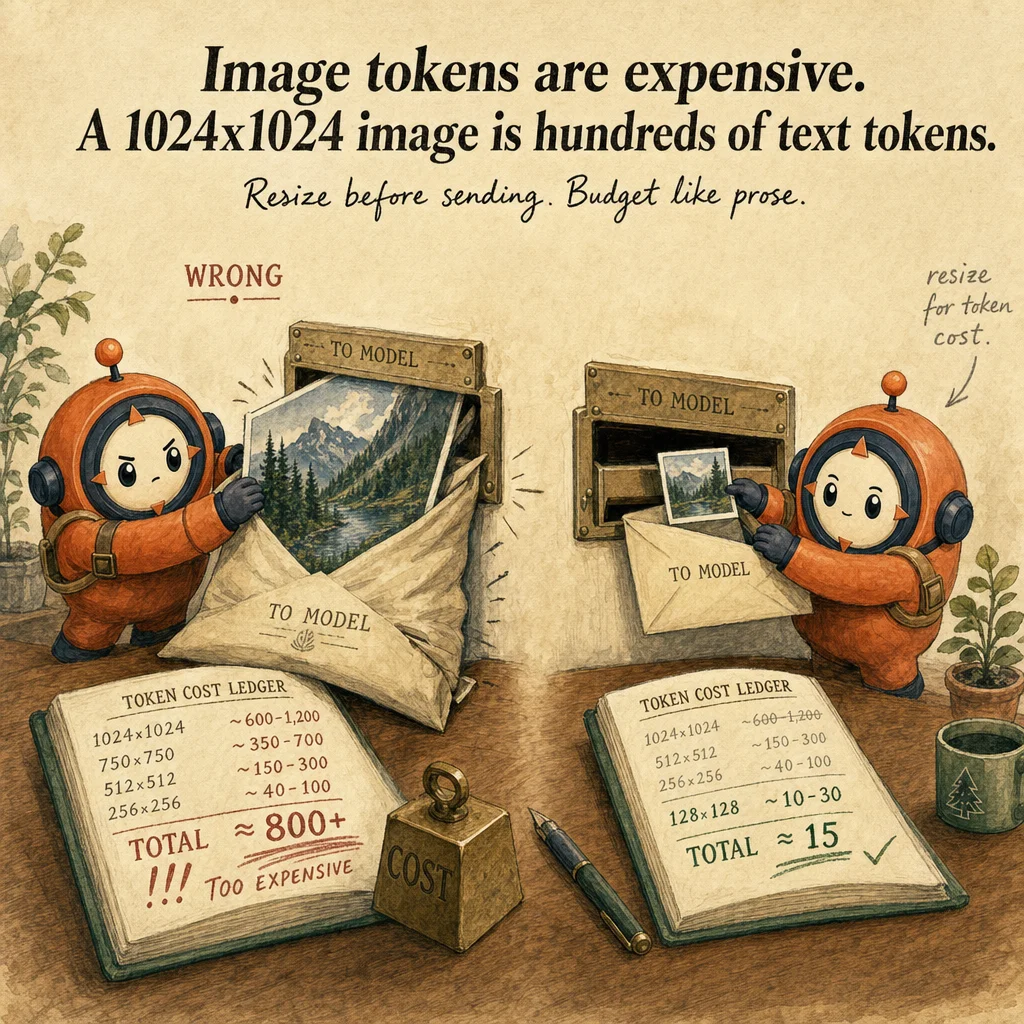
The primary risk is token cost explosion. A 20MB high-res image can consume 2000+ tokens; 50 documents prohibitively expensive without optimization. Mitigations: downresample to 1024×768 or 1200×1500, JPEG over PNG, crop to ROI, batch similar documents. Secondary risk: hallucination in structured extraction when images are ambiguous. Always validate JSON against schema and flag confidence.
How it works
Request structure is identical to text-only, except content array contains mixed blocks. A user message might be [{type: "image", source: {type: "base64", media_type: "image/jpeg", data: "..."}}, {type: "text", text: "Extract invoice total"}]. Image is processed during the forward pass; vision encoder tokenizes patches, interleaves with text tokens, unified embedding attends across modalities simultaneously.
Token counting is deterministic: SDK provides count_tokens endpoint accepting image blocks. Always call before paying. A 1MB JPEG ~500 tokens; a 5MB scanned PDF page ~2500. Vision pricing ~$0.75/1M input tokens, so a 50-image batch at 800 tokens each runs ~$0.03.
For structured extraction, pass image + JSON schema, ask for valid JSON only, catch validation errors, retry with clarification. `tool_use` block pairs well: define extract_from_image with input schema matching desired output, Claude invokes with JSON, harness validates and appends. Without this pattern, extraction becomes a manual text-comparison game.
The most underutilized optimization is image context reuse via Files API. With 500 recurring documents, upload each once with purpose: "vision", store the file_id, reference in subsequent requests via {type: "image", source: {type: "file", file_id: "..."}}. Avoids re-encoding, reduces token cost 40-50% on recurring work.
Where you'll see it
Intelligent document OCR pipeline
Compliance team processes 200+ regulatory filings weekly. Claude agentic loop accepts scanned PDFs, splits by page, downsamples to 1200×1500 JPEG, calls vision + extraction schema, validates JSON, retries on failure. Cost: ~$2/document at scale. 98% extraction accuracy vs 40% from commodity OCR.
Real-time chart interpretation for BI dashboards
Finance analytics tool embeds vision in Streamlit. Users upload chart screenshot. Claude analyzes, detects anomalies ("Q3 dropped 15% vs Q2"), generates insights. Stream response for <500ms latency. ~400 tokens per chart.
Show 2 more examples
Invoice and receipt automation
Expense-management SaaS ingests receipts as images. Vision extracts merchant, amount, date, category, tax → structured JSON. Loop catches "too blurry" or "unreadable" failures and escalates to human with image attached. Cuts manual entry 90%.
UI/UX design review
QA team provides screenshots of new design. Vision analyzes: "Are form labels visible? Color contrast sufficient? Buttons keyboard-accessible?" Catches ~70% of accessibility violations before human testing.
Code examples
import anthropic, base64, json
client = anthropic.Anthropic()

def extract_invoice(image_path: str) -> dict:
    with open(image_path, "rb") as f:
        image_data = base64.standard_b64encode(f.read()).decode("utf-8")

    schema = {
        "type": "object",
        "properties": {
            "vendor": {"type": "string"},
            "invoice_date": {"type": "string"},
            "amount": {"type": "number", "minimum": 0},
            "line_items": {"type": "array"},
        },
        "required": ["vendor", "invoice_date", "amount"],
    }

    for attempt in range(2):
        resp = client.messages.create(
            model="claude-opus-4-5",
            max_tokens=1024,
            messages=[{
                "role": "user",
                "content": [
                    {"type": "image", "source": {"type": "base64", "media_type": "image/jpeg", "data": image_data}},
                    {"type": "text", "text": f"Extract invoice. Return ONLY JSON matching this schema:\n{json.dumps(schema)}\nIf field unclear, set null. No markdown."},
                ],
            }],
        )
        text = resp.content[0].text if resp.content else "{}"
        try:
            return json.loads(text)
        except json.JSONDecodeError:
            if attempt == 0:
                continue  # Retry once
return {"error": "Failed to parse JSON"}Looks right, isn't
Each row pairs a plausible-looking pattern with the failure it actually creates. These are the shapes exam distractors are built from.
Upload all images as base64 inline.
Base64 increases JSON size ~33%.
For batch (50+), use Files API to reference stored file_ids. Inline OK for <10 images.
Use high-resolution (4000×3000) for max OCR accuracy.
Higher resolution increases token cost linearly with no accuracy gain above 1200×1500.
Diminishing returns at ~1000px width. Downresample to 1024×768 for tables, 1200×1500 for dense text.
If JSON is invalid, increase max_tokens and retry.
Schema-validation failure usually signals ambiguity in the image (poor scans), not token exhaustion.
Retry with clarification or escalate to human.
Vision always produces accurate output; trust first extraction.
Claude hallucinates fields when tables ambiguous or images degraded.
Always validate JSON, track confidence per field, escalate low-confidence.
Embed full-page scans of 100-page documents as single mega-image.
Split by page, process each separately.
100 requests but each cheaper than one mega-request (token cost is sublinear per page). Batch in parallel.
Side-by-side
| Aspect | Vision multimodal | Text-only | Traditional OCR | Captioning pipeline |
|---|---|---|---|---|
| Input | Image + text together | Text only | Image only | Image → text desc |
| Accuracy | 90%+ structured | N/A | 70-80% handwritten | Lossy |
| Cost per document | 400-1500 tokens (~$0.0003-0.001) | N/A | Free or vendor fees | Vision + extra tokens |
| Speed | 1-3 sec per image | Negligible | 2-10 sec | Slower |
| Structured output | JSON schema | N/A | Unstructured | No schema |
| Best for | Invoices, forms, charts | Queries on text | Bulk digitization | User-facing summaries |
Decision tree
Need to extract structured data from images?
Processing >20 images in a batch?
Image is handwritten, blurry, or low-res?
Documents >5MB each?
Output is sensitive (PII, financial)?
Question patterns
6 V2 questions wired to this concept. Tap an answer to check it instantly - you'll see whether it's right and why - then expand the full breakdown for the mental model and all four rationales.
For a vision request, should you use base64 inline or the Files API?
Frequently asked
Showing 10 of 10 questions
{type: "image", source: {type: "url", url: "https://..."}}. Requires public HTTPS.pypdf or pdf2image to extract pages as JPEG. Batch process in parallel.